



Like Comment(the latest update)
How to Like Comment?
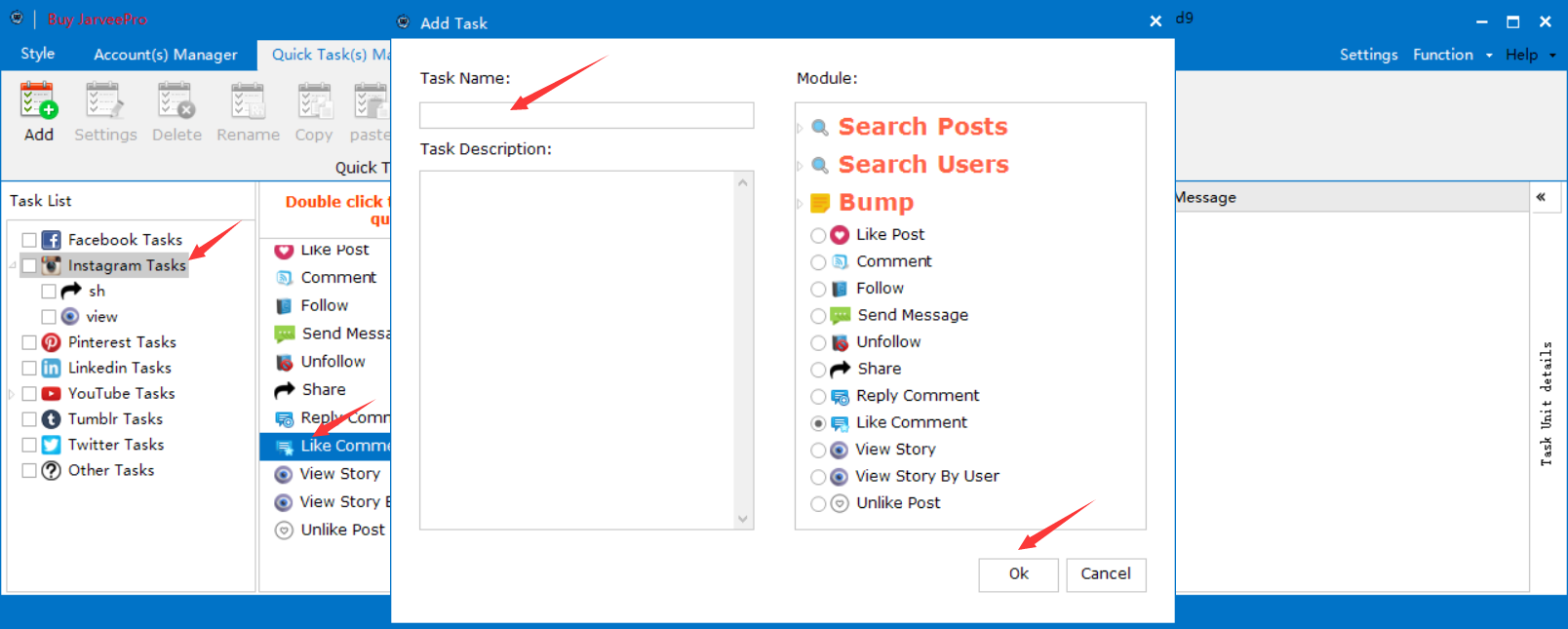
Step 1 Choose Instagram Tasks- choose Share (Double click)--Input random task name-- Click ok
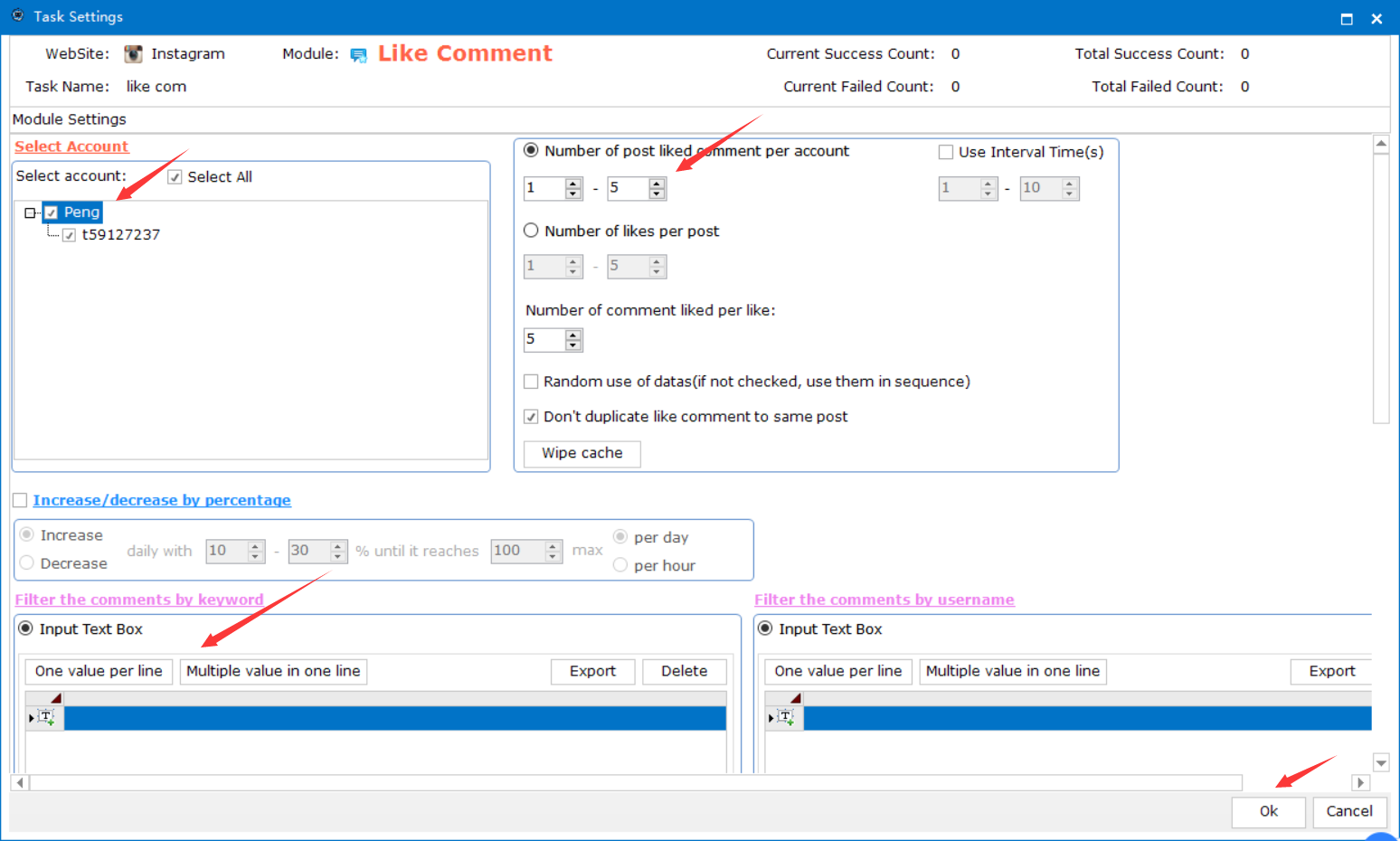
Step 2 Select account- Set up number of channel--choose Filter the comments by keyword-input URL - Click ok
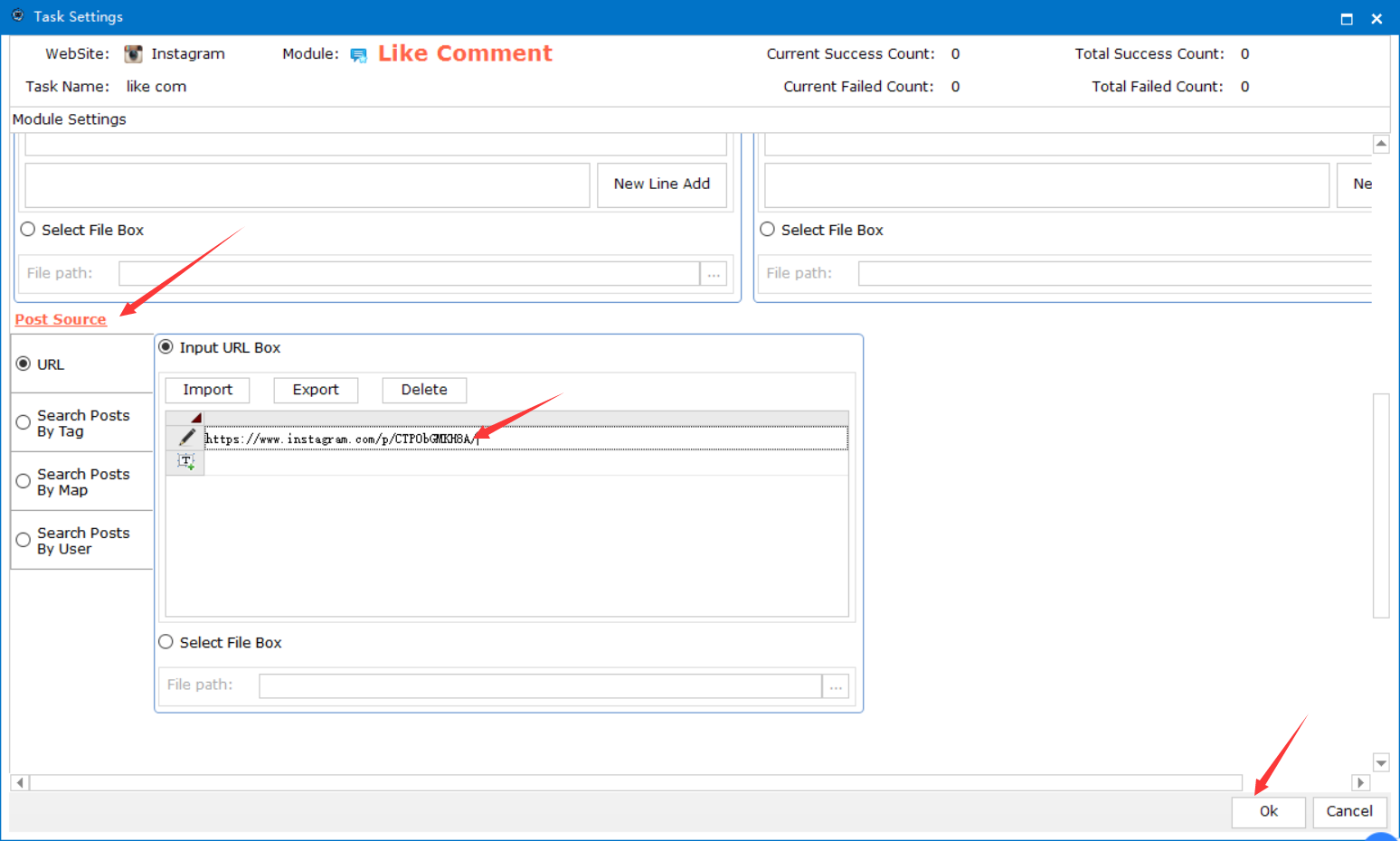
Step 3 Choose Post source-input url-Click ok
Step 4 Select your task-check the task--click
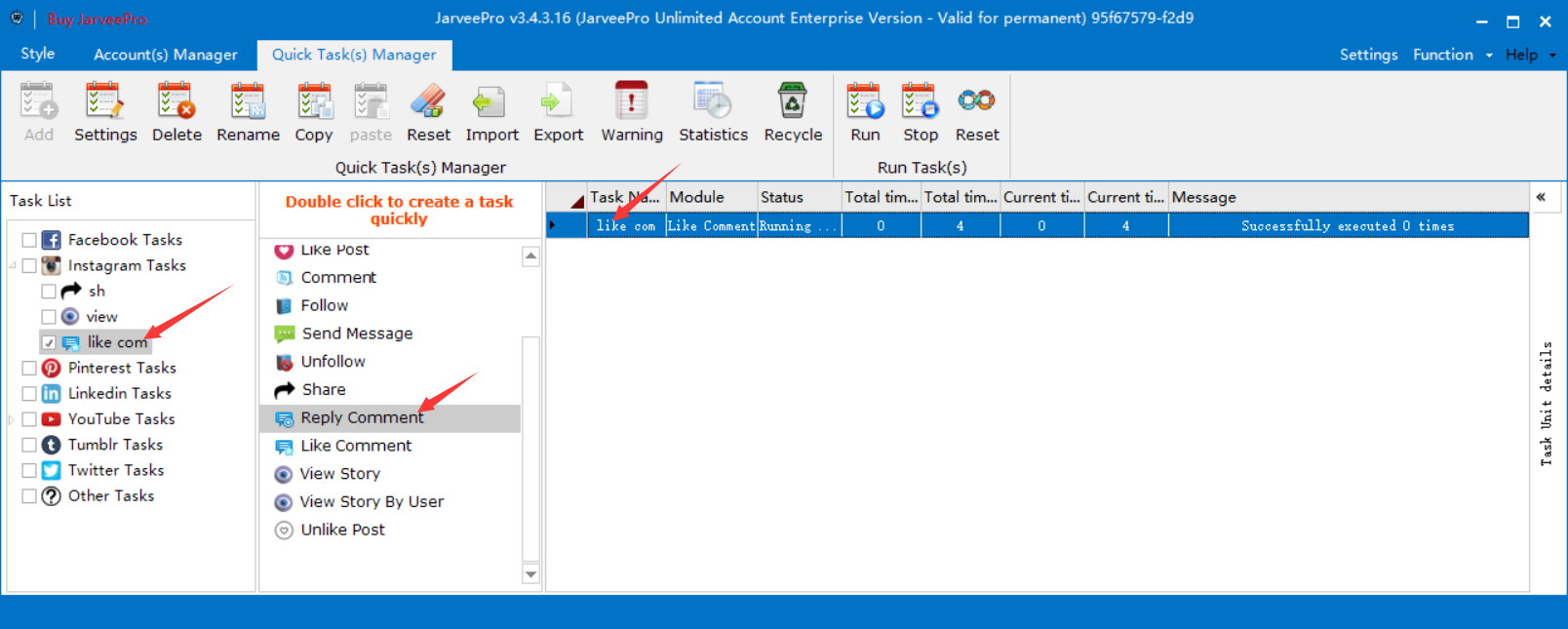
Success