



15 Free Social Media Tools from JarveePro: The Small Tasks That Quietly Eat Your Marketing Time
Marketing has a strange problem.
The big things get attention.
Strategy.
Campaigns.
Content.
Audience growth.
Automation.
But a lot of working time disappears somewhere else.
Finding a video.
Resizing an image.
Cleaning up a caption.
Checking a post layout.
Building campaign URLs.
Converting time zones.
Planning next week's content.
Personalizing hundreds of lines.
Organizing hashtags.
Checking engagement rates.
Building a campaign calendar.
None of these tasks looks particularly difficult.
Together, they can become a surprisingly large part of the marketing workload.
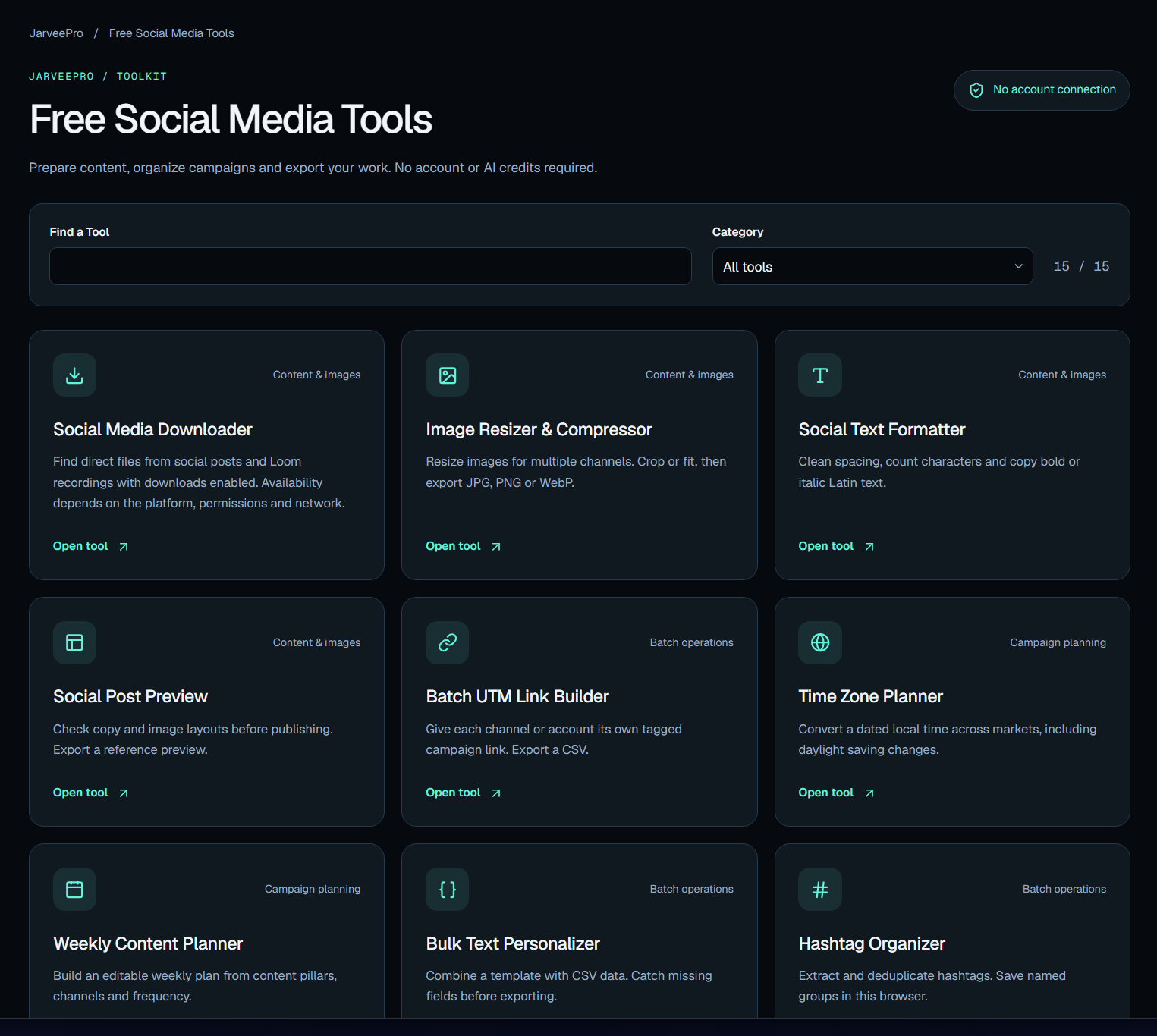
That's why JarveePro has built a collection of 15 free social media tools.
They are not meant to replace JarveePro.
They are designed to remove friction from the work around social media marketing — and give marketers useful tools they can use immediately, without an account connection or AI credits.
The Idea Behind the Free Tools
There is a simple principle behind the collection:
Don't make people use a powerful platform just to solve a small problem.
If someone needs to resize an image, give them an image resizer.
If they need to calculate an engagement rate, give them a calculator.
If they need to prepare a weekly content plan, give them a planner.
If they need to download permitted media from a supported social post, give them a downloader.
Solve the immediate problem first.
Then let the marketer decide whether they need something bigger.
That's a more useful relationship between free tools and a professional marketing platform.
15 Tools. Different Problems. One Marketing Workflow.
The tools cover four broad areas:
Content & images
Batch operations
Campaign planning
Together, they form a surprisingly practical marketing toolkit.
1. Social Media Downloader
Sometimes the problem starts with content that already exists.
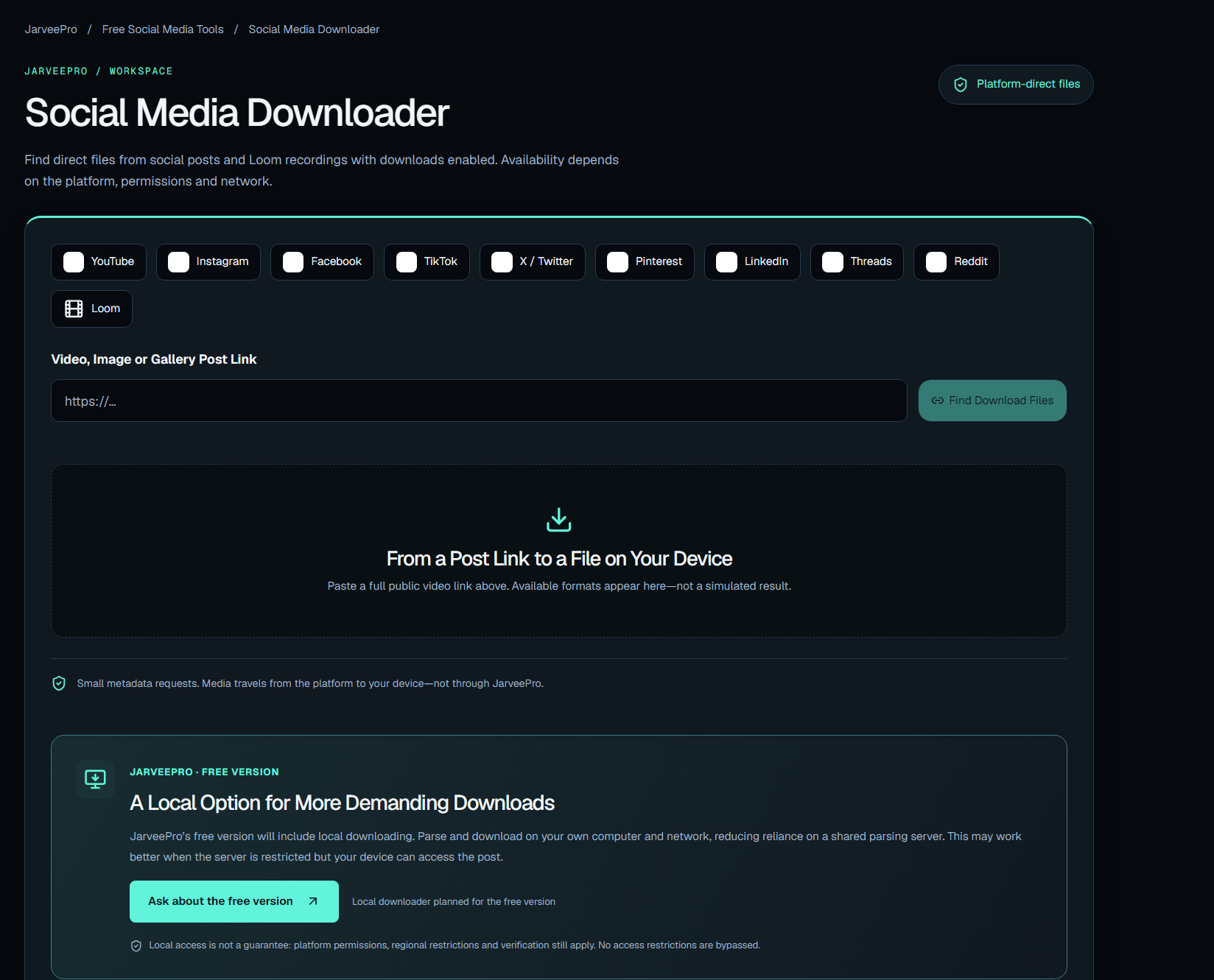
The Social Media Downloader can find available media from supported social posts and Loom recordings when downloads are enabled.
It supports sources including platforms such as Instagram, TikTok, YouTube, Facebook, X, Reddit, Pinterest, LinkedIn, Threads, Tumblr, and Loom.
For marketers, downloading is rarely the final objective.
It might be the beginning of:
Download → Research → Edit → Resize → Repurpose → Publish
Only download content you own or have permission to save and reuse.
2. Image Resizer & Compressor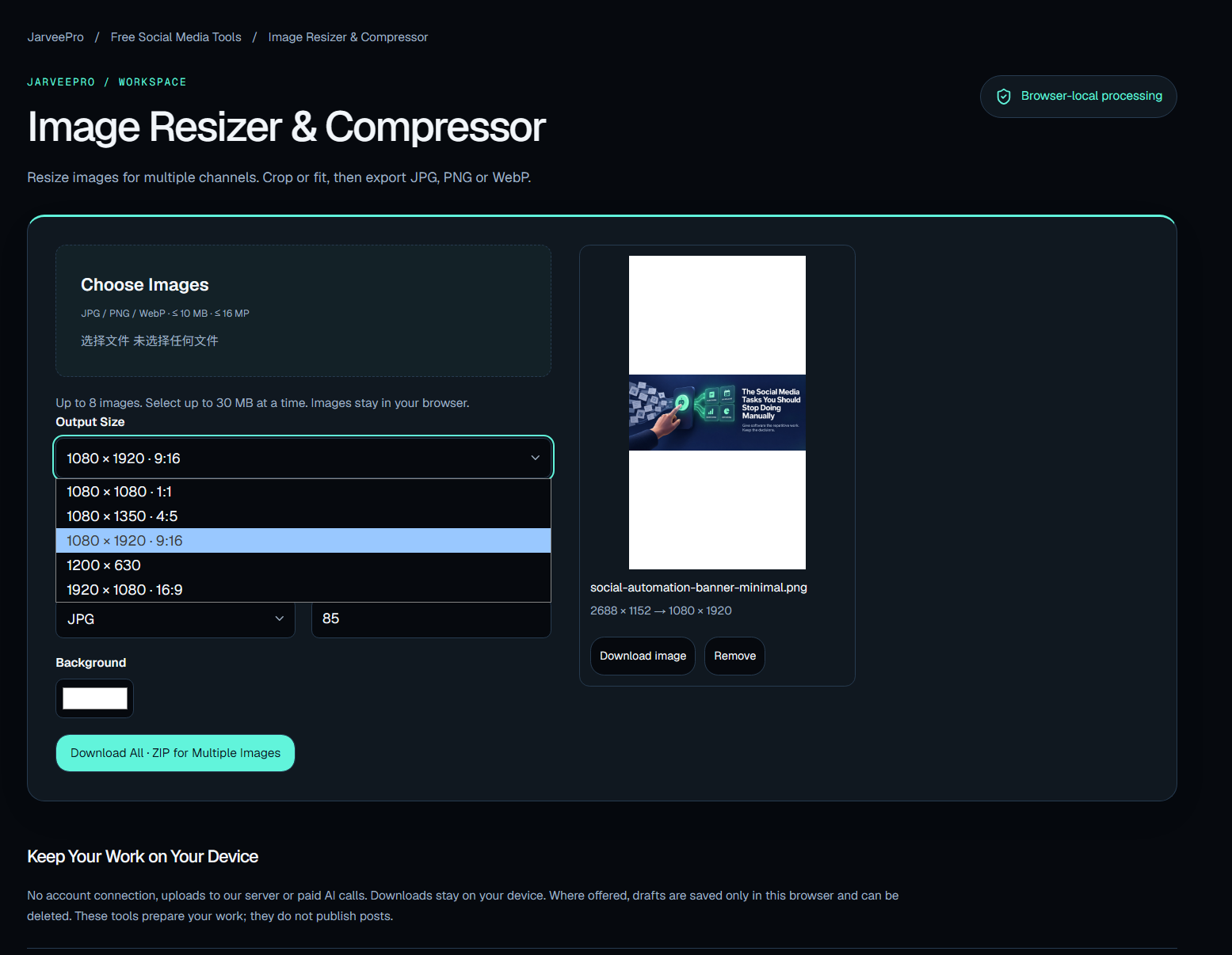
An image that looks perfect on one platform may be awkward somewhere else.
Different channels need different dimensions.
Different campaigns need different file sizes.
The Image Resizer & Compressor lets you crop or fit images and export them as JPG, PNG, or WebP.
A small tool.
A very common problem.
And one less reason to open a heavyweight application for a five-minute task.
3. Social Text Formatter
Social media text has its own little collection of annoyances.
Spacing.
Character counts.
Formatting.
Bold text.
Italic text.
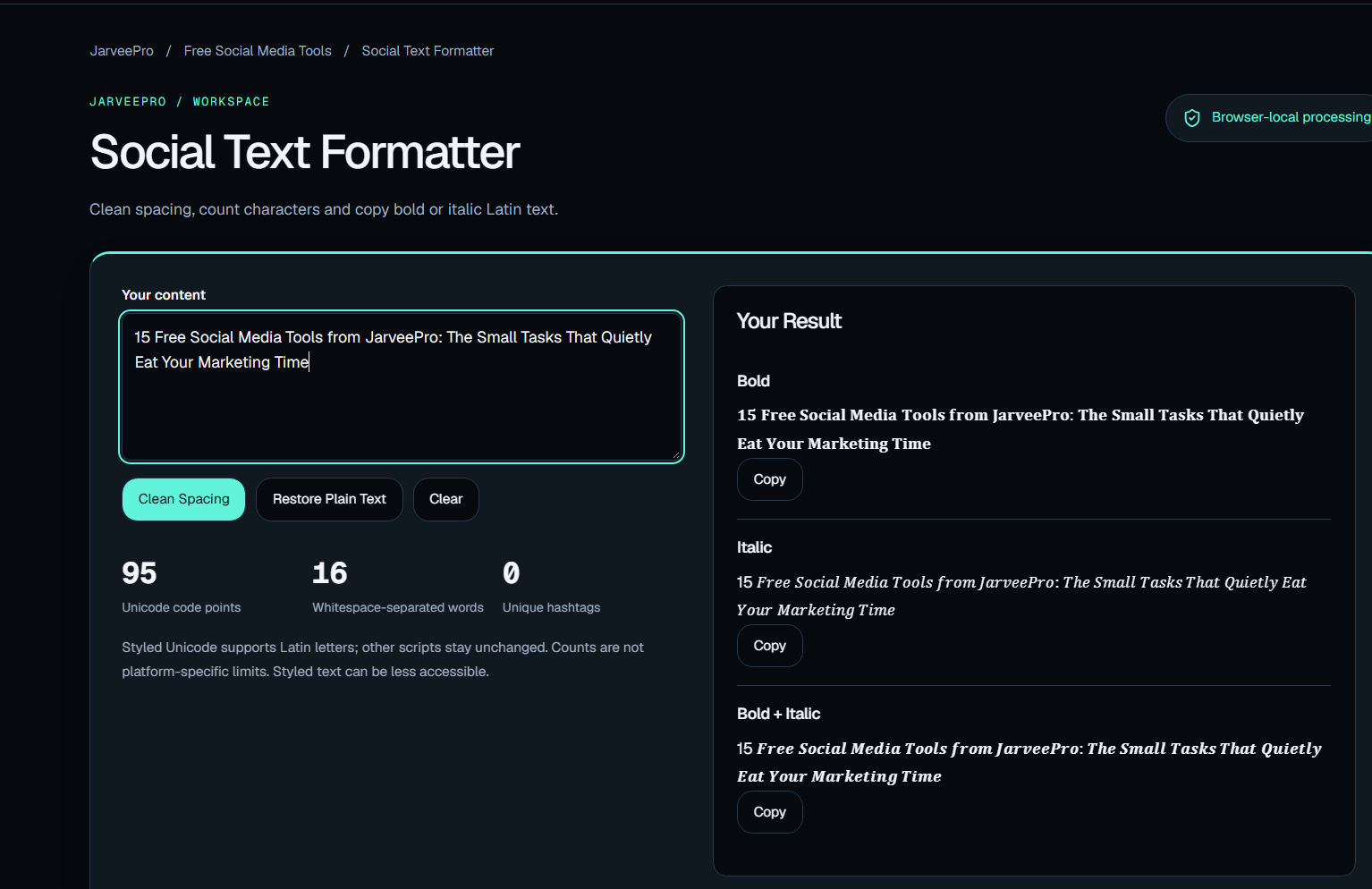
The Social Text Formatter helps clean up text and prepare it for social publishing.
Again, this is not a revolutionary marketing strategy.
It is something better:
a small piece of friction removed from every publishing cycle.
4. Social Post Preview
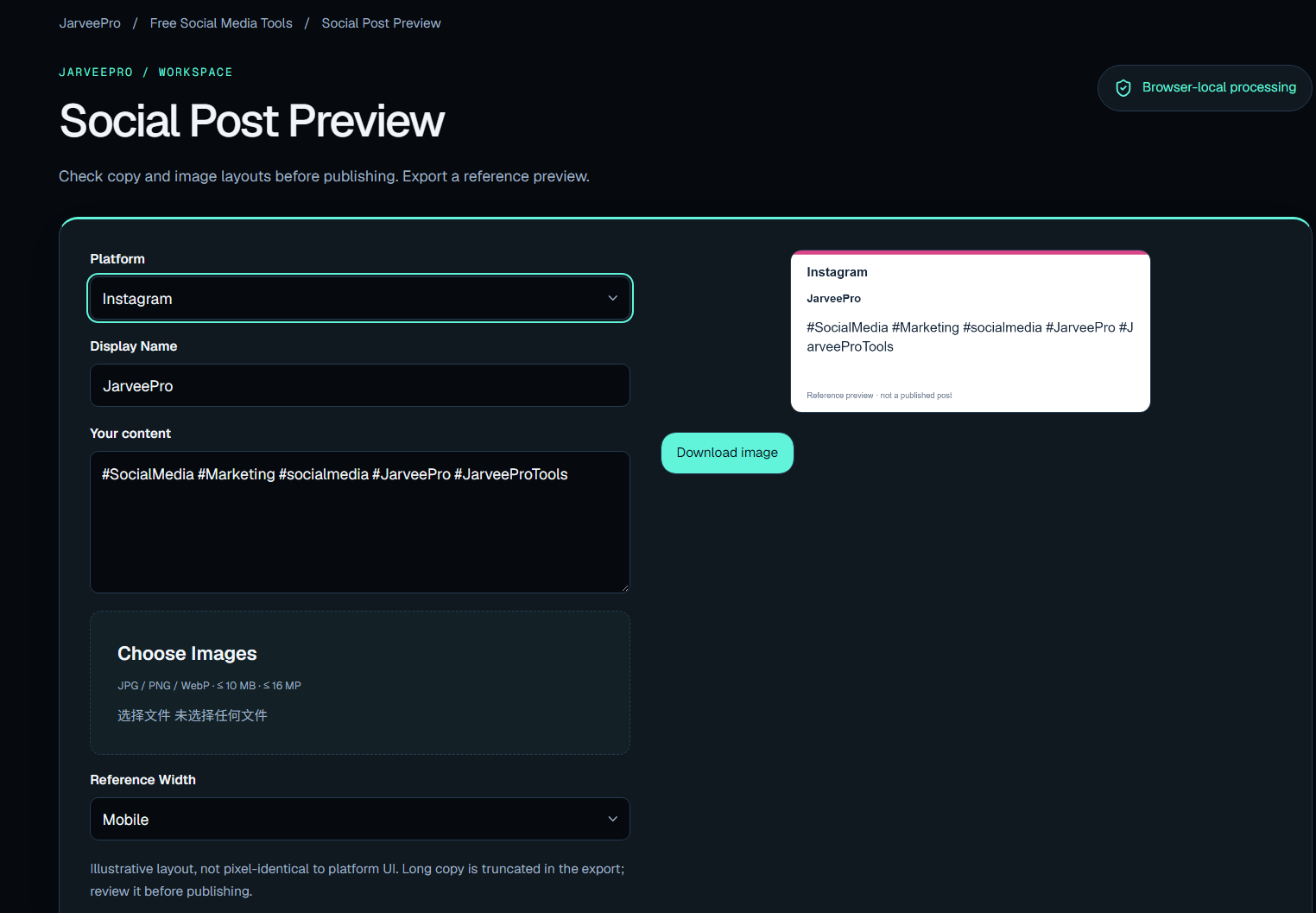
Publishing is not the moment to discover that your post looks wrong.
The Social Post Preview lets marketers check copy and image layouts before publishing and export a reference preview.
That matters when content is being prepared for clients, campaigns, multiple accounts, or internal approval.
A preview can catch a problem before an audience does.
5. Batch UTM Link Builder
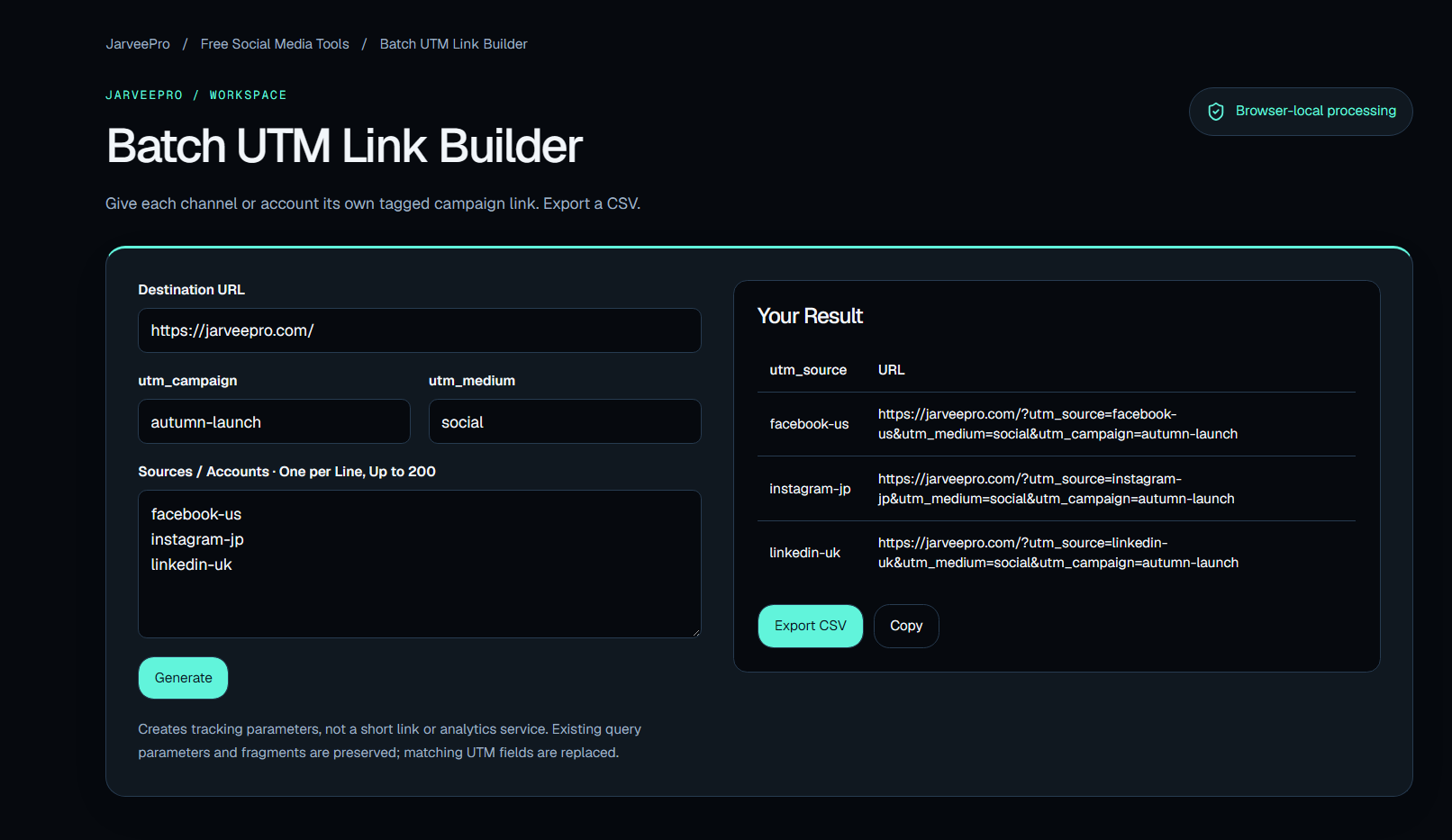
Campaign tracking becomes messy surprisingly quickly.
One campaign can have multiple channels.
Multiple accounts.
Multiple creatives.
Multiple sources.
The Batch UTM Link Builder gives each channel or account its own tagged campaign link and lets you export the results as a CSV.
This is where a simple utility starts solving a real marketing operations problem.
Because once you have dozens or hundreds of links, doing the same thing manually is no longer a clever use of time.
6. Time Zone Planner
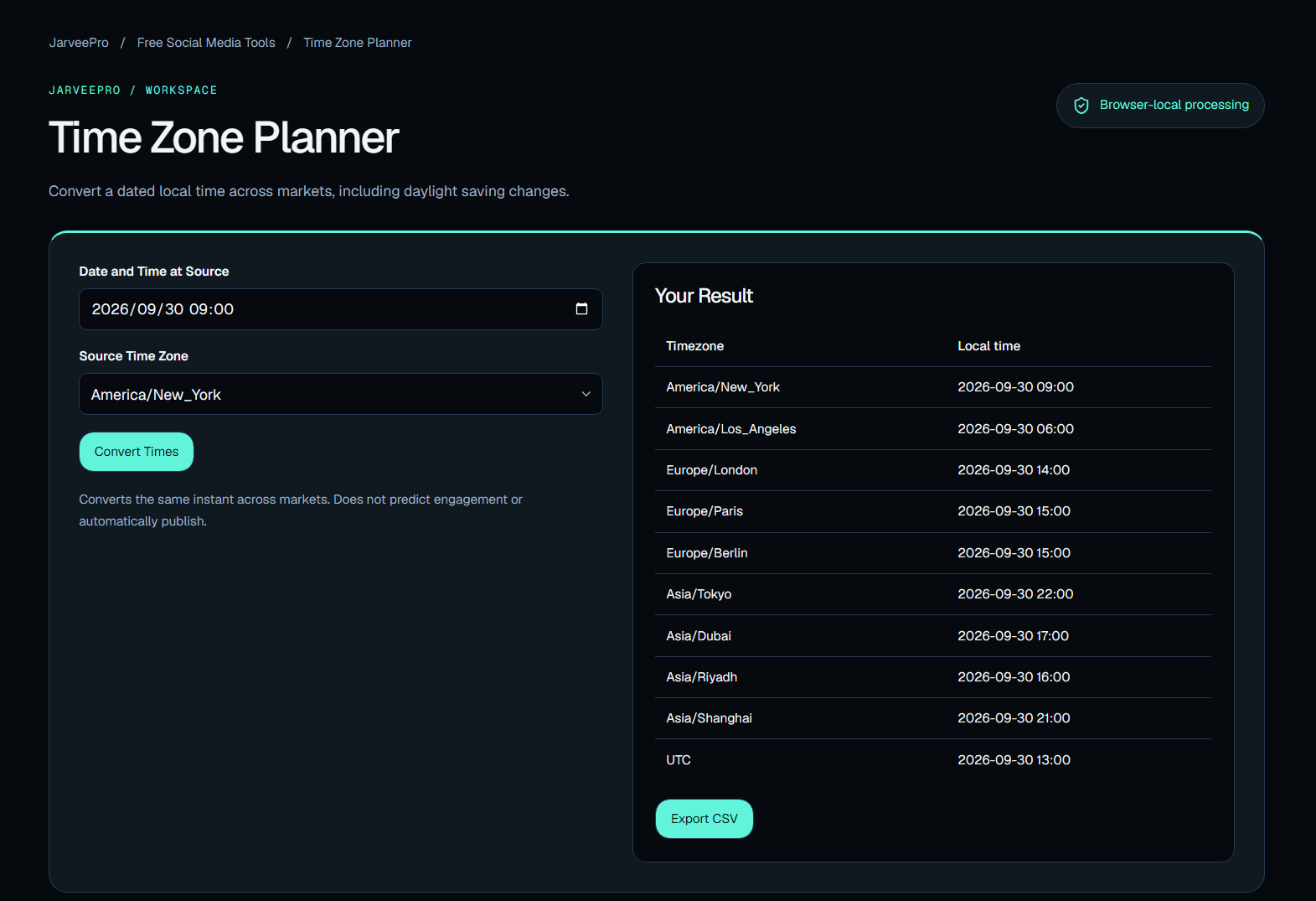
Global marketing has an underrated problem:
9:00 AM where?
A campaign planned for one market can become a completely different schedule when multiple regions are involved.
The Time Zone Planner converts a dated local time across markets and accounts for daylight saving changes.
For international campaigns, that small detail can prevent a surprisingly large number of scheduling mistakes.
7. Weekly Content Planner
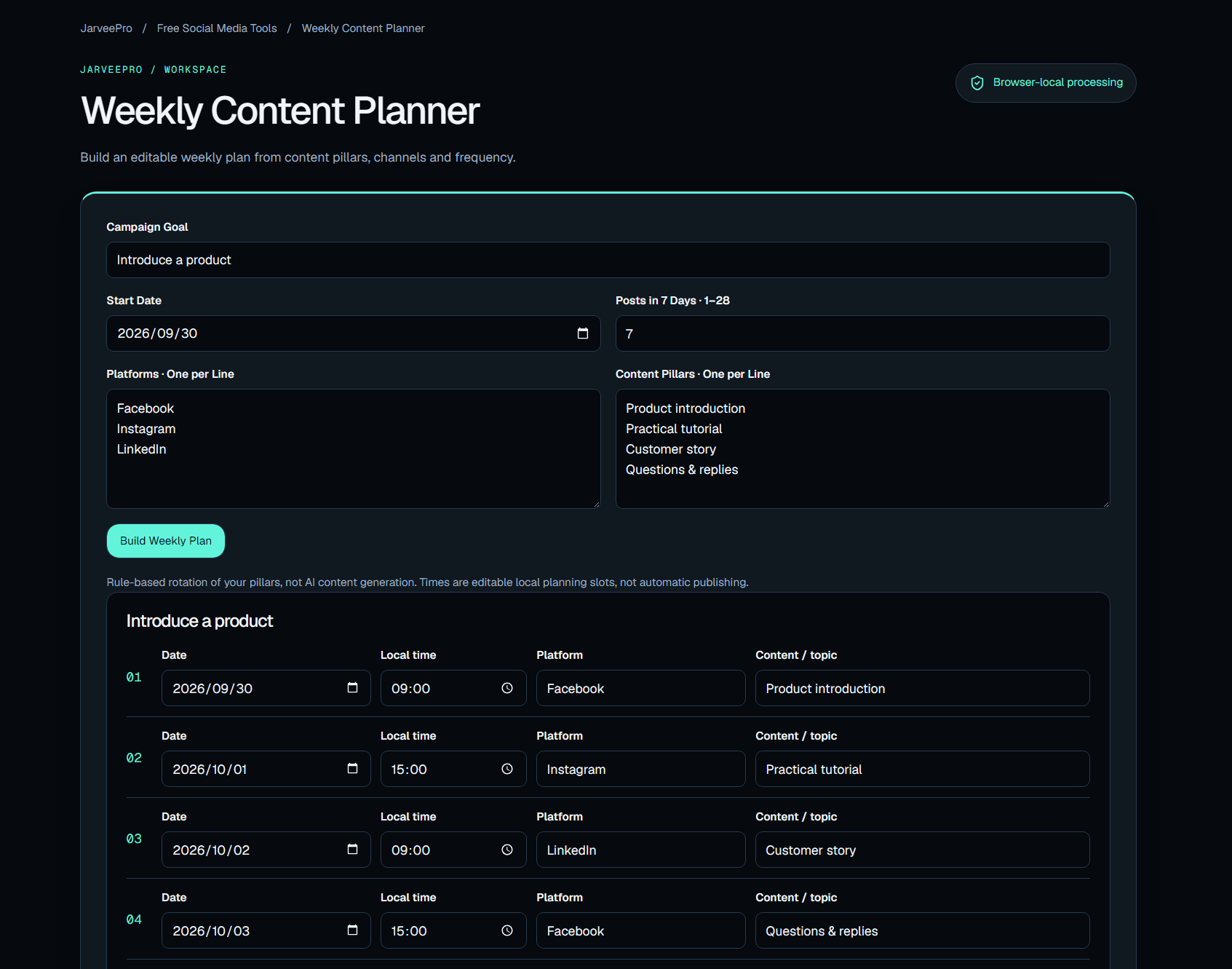
A content calendar does not need to begin with a complicated enterprise system.
Sometimes you just need to answer:
What are we publishing?
Where?
How often?
Under which content pillar?
The Weekly Content Planner creates an editable weekly plan based on content pillars, channels, and frequency.
It turns an abstract content strategy into something the team can actually look at.
8. Bulk Text Personalizer
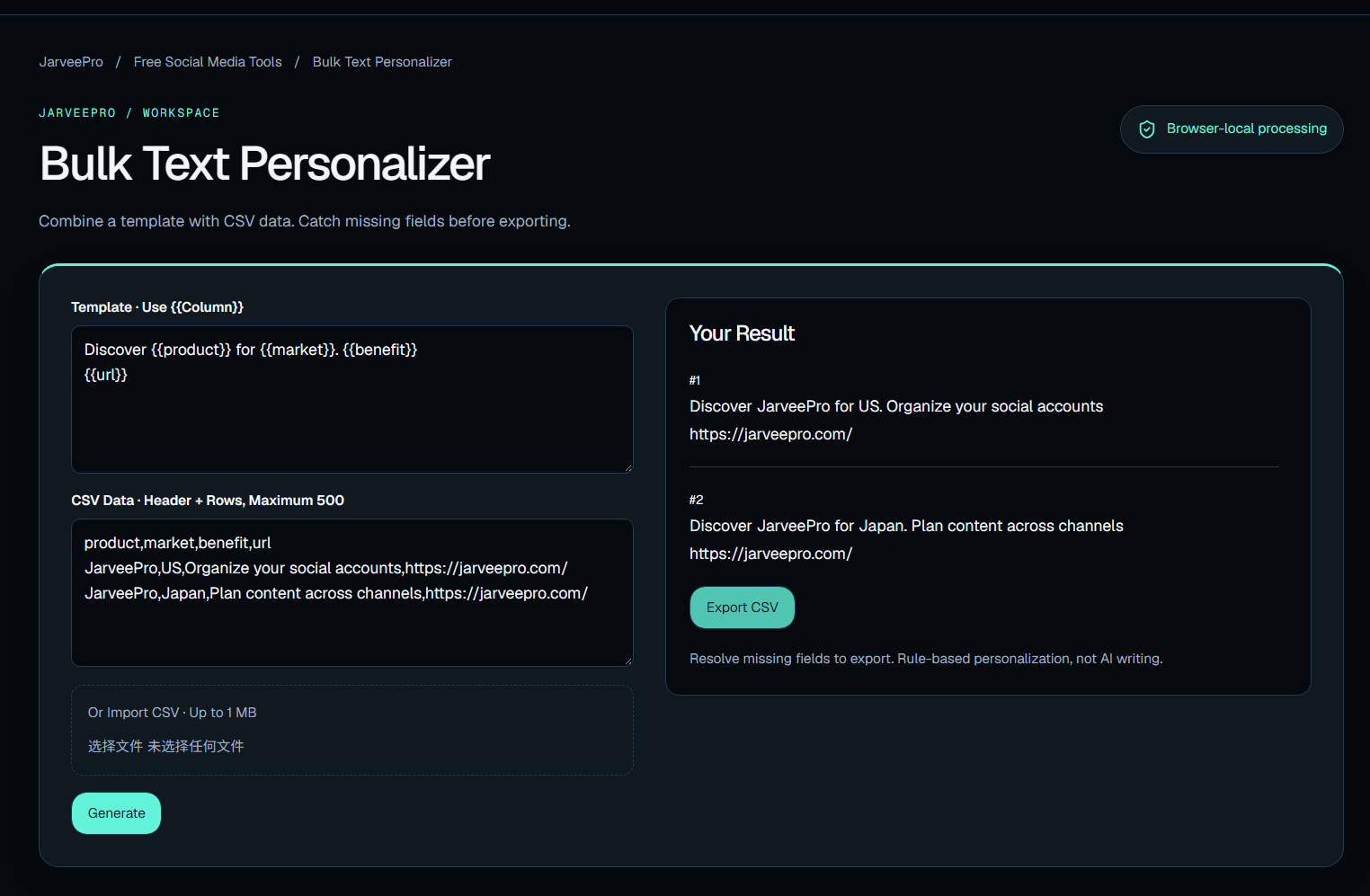
Personalization sounds simple until the list reaches 500 rows.
Then someone is suddenly staring at a spreadsheet full of names, variables, missing fields, and formatting problems.
The Bulk Text Personalizer combines a template with CSV data and helps catch missing fields before exporting.
That makes it useful for campaigns where the message stays structurally similar while individual details change.
The idea is simple:
Write once. Personalize at scale.
9. Hashtag Organizer
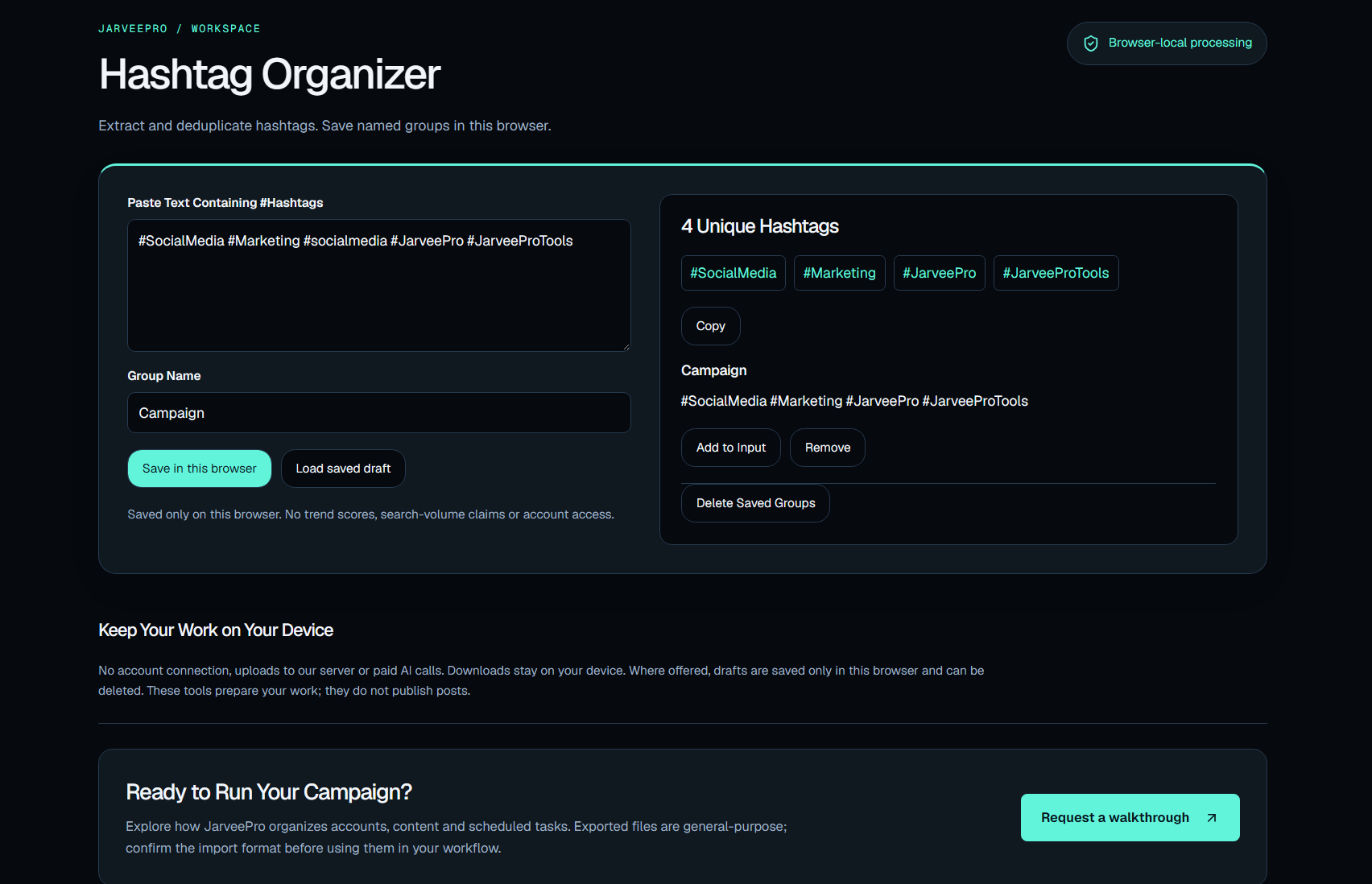
Hashtags are easy to collect.
Managing them is another matter.
The Hashtag Organizer extracts and deduplicates hashtags and lets users save named groups in the browser.
Instead of maintaining a collection of random hashtag lists, marketers can organize groups around different topics, campaigns, or content categories.
Small organizational improvement.
Repeated hundreds of times, small improvements become productivity.
The Other Six: Where Planning Becomes Operations
The remaining tools move further away from individual content tasks and into campaign organization.
10. Instagram & TikTok Feed Planner
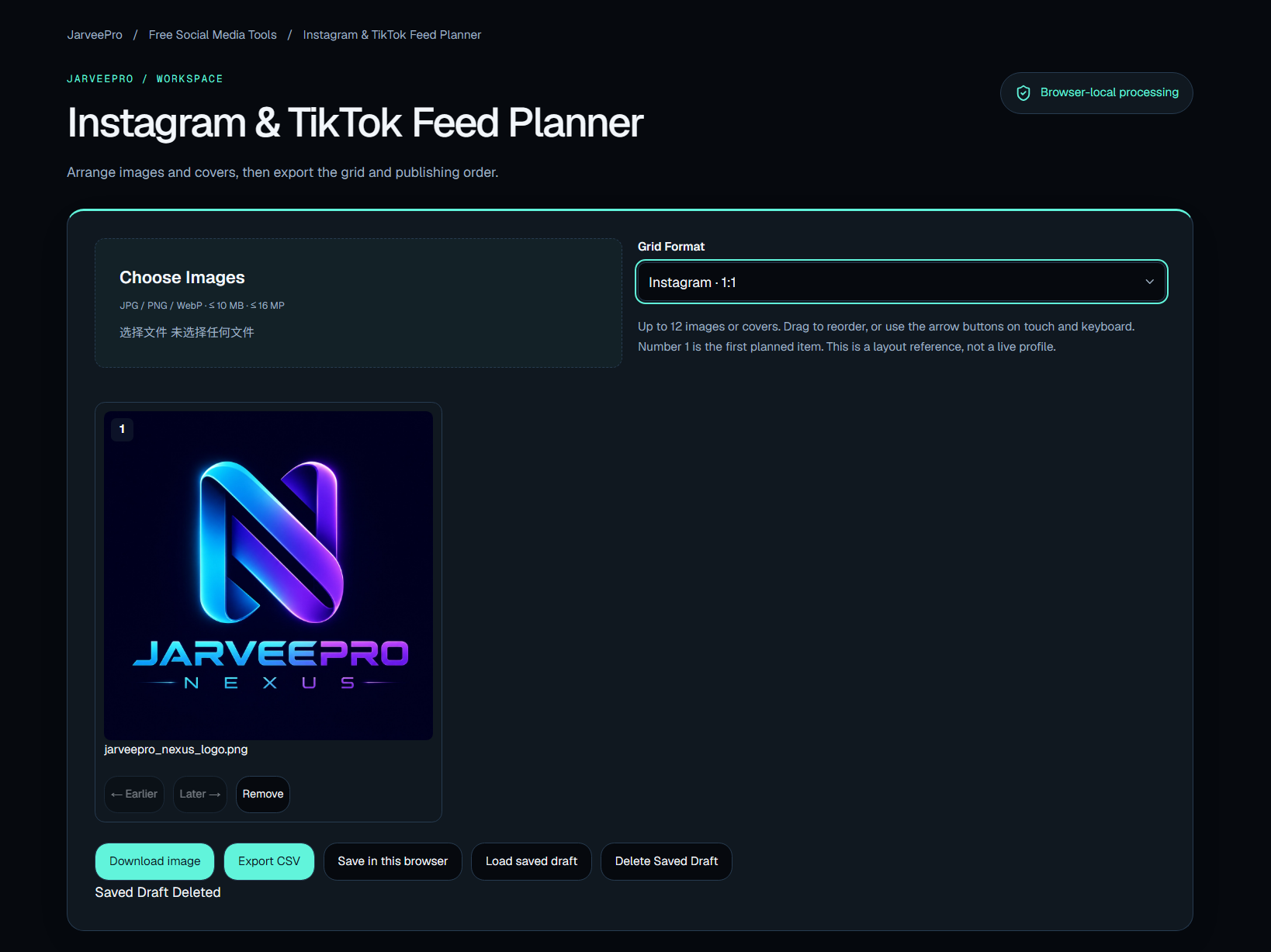
Visual planning becomes difficult when a feed is treated as a sequence rather than a collection of individual posts.
The Instagram & TikTok Feed Planner helps arrange images and covers, then export the grid and publishing order.
That gives marketers a way to look at the content as a visual system before it goes live.
11. Screenshot & Quote Cards
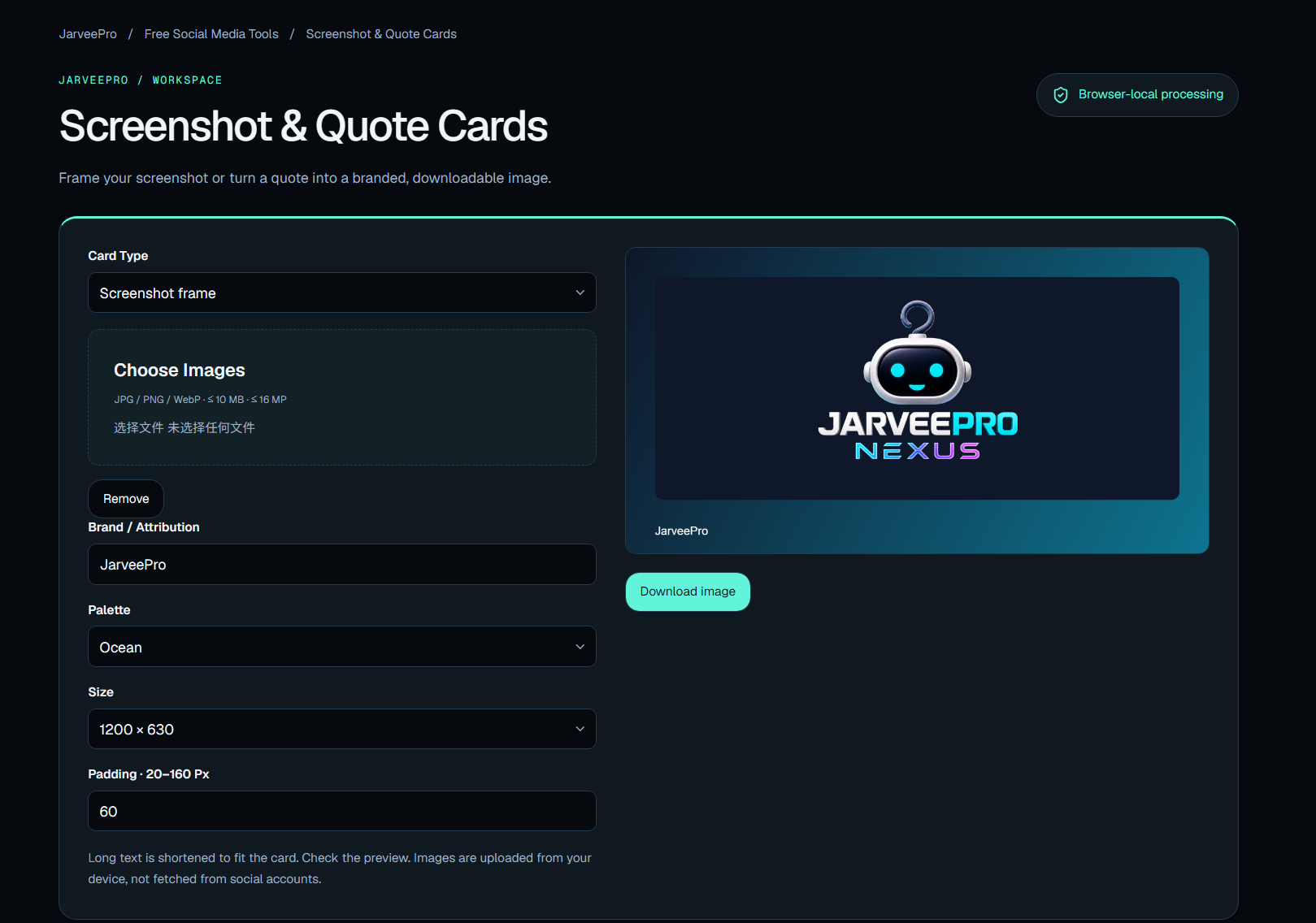
Sometimes the fastest way to turn information into social content is to package it visually.
The Screenshot & Quote Cards tool lets users frame screenshots or turn quotes into downloadable images.
Useful for:
Product examples
Customer quotes
Research findings
Social proof
Educational content
Internal presentations
A screenshot becomes more useful when it is ready to publish.
12. Engagement Rate Calculator
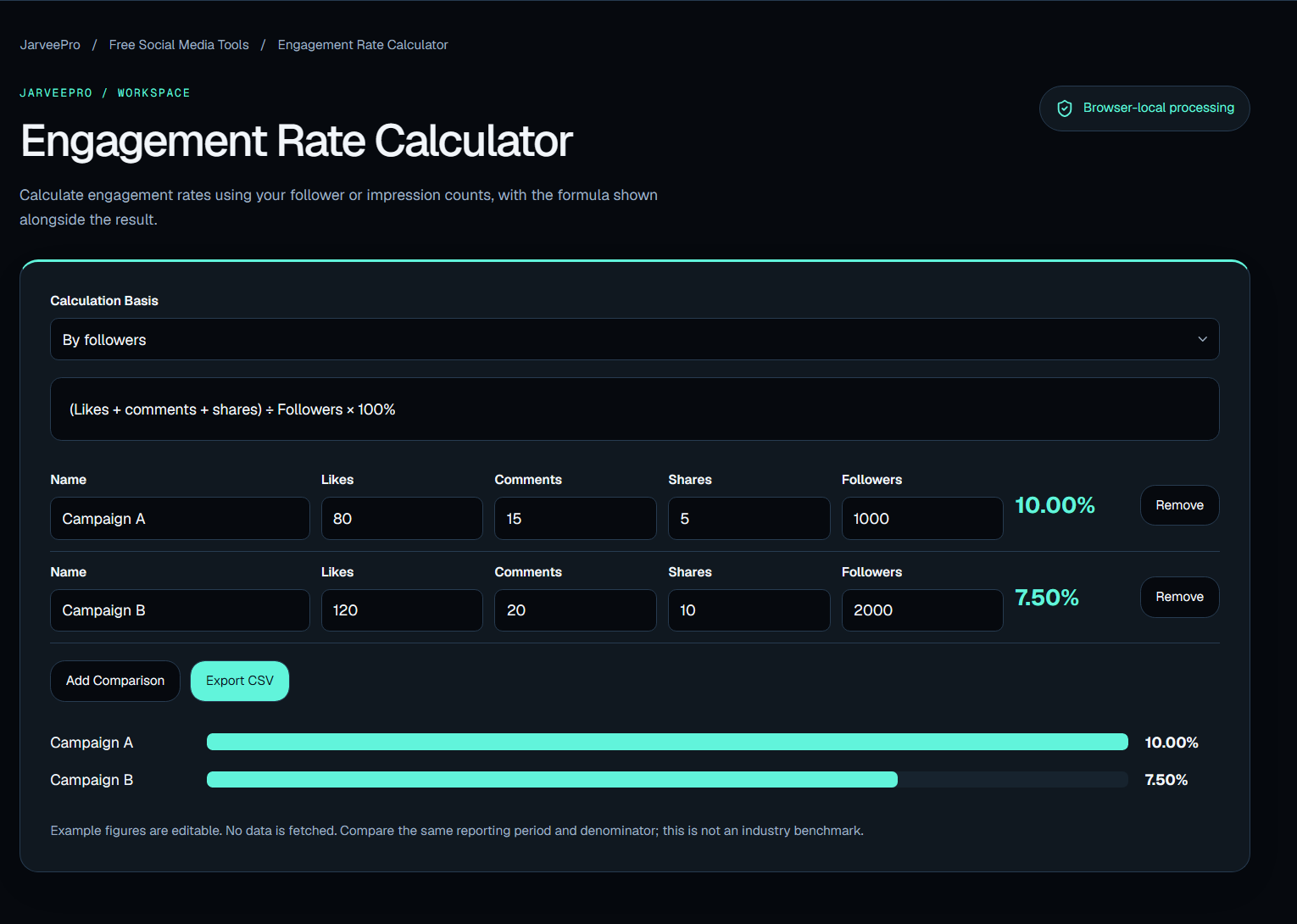
Raw numbers can be misleading.
1,000 interactions means something different for an account with 5,000 followers than it does for an account with 500,000.
The Engagement Rate Calculator calculates engagement rates using follower or impression counts and shows the formula alongside the result.
It is a small analytical tool, but it encourages a better habit:
Look at the relationship between numbers, not just the numbers themselves.
13. Marketing Calendar
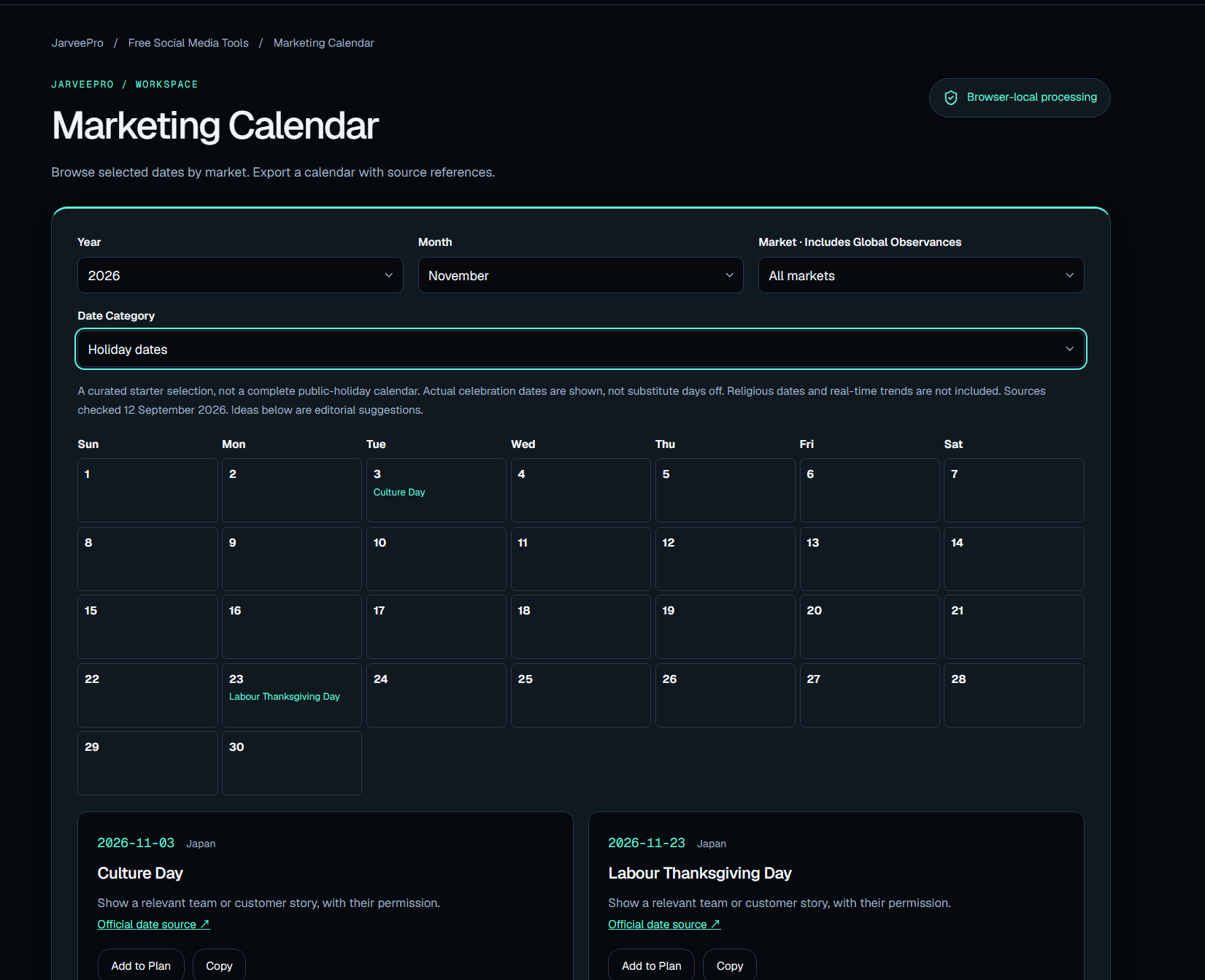
A weekly content planner answers:
What are we publishing?
A marketing calendar asks a bigger question:
What is happening across the market and across our campaign?
The Marketing Calendar lets users browse selected dates by market and export a calendar with source references.
This is useful when campaigns need to account for dates, markets, launches, and external events.
Timing is part of marketing.
14. AI Campaign Brief Builder
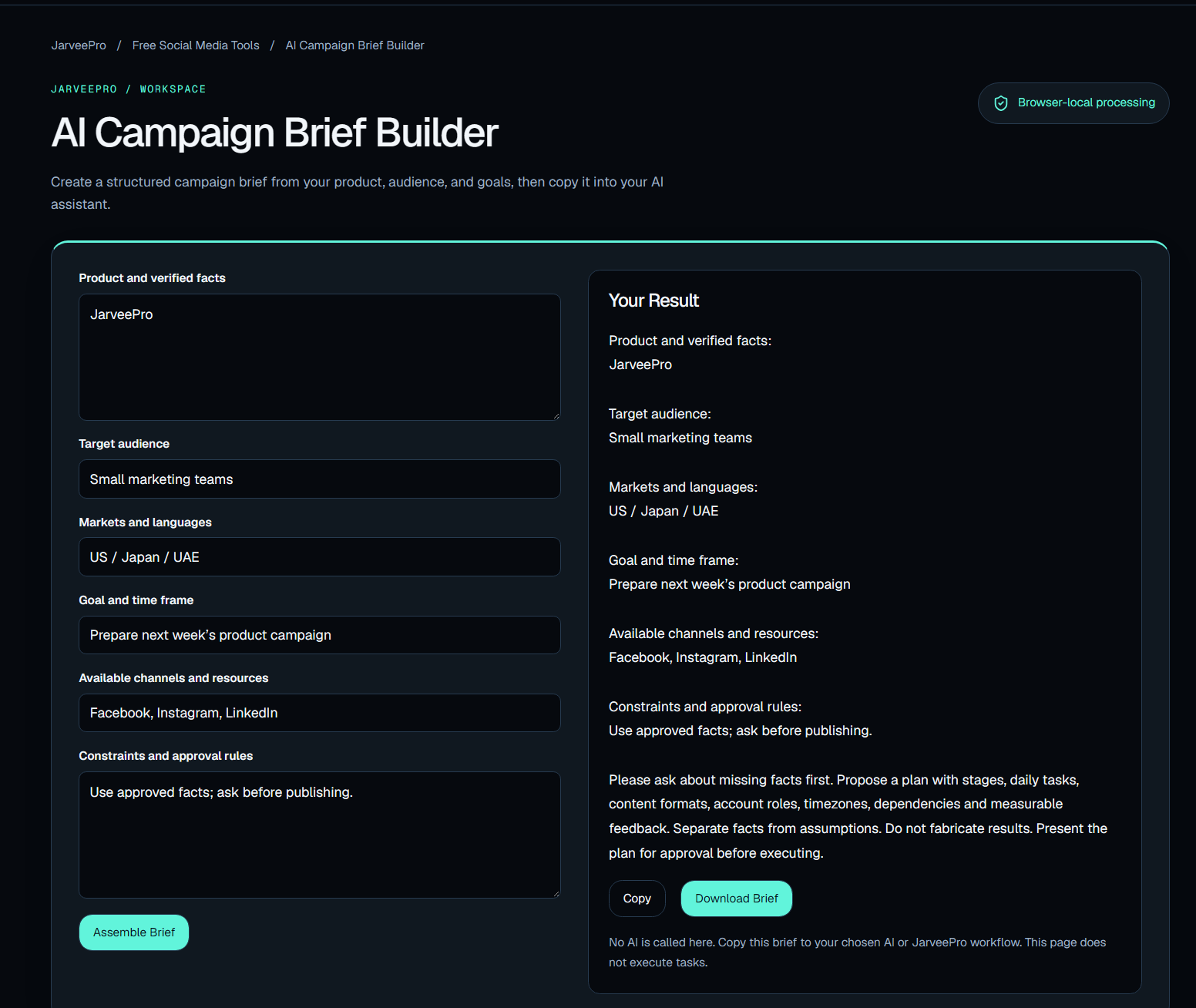
AI becomes more useful when it has structure.
The AI Campaign Brief Builder creates a structured campaign brief from a product, audience, and goals, then lets you copy that brief into your AI assistant.
The important idea is not simply "AI writes a campaign."
It is:
Give AI better inputs. Get more useful work back.
A structured brief can give the next stage of the workflow much more direction.
15. Account Network Planner
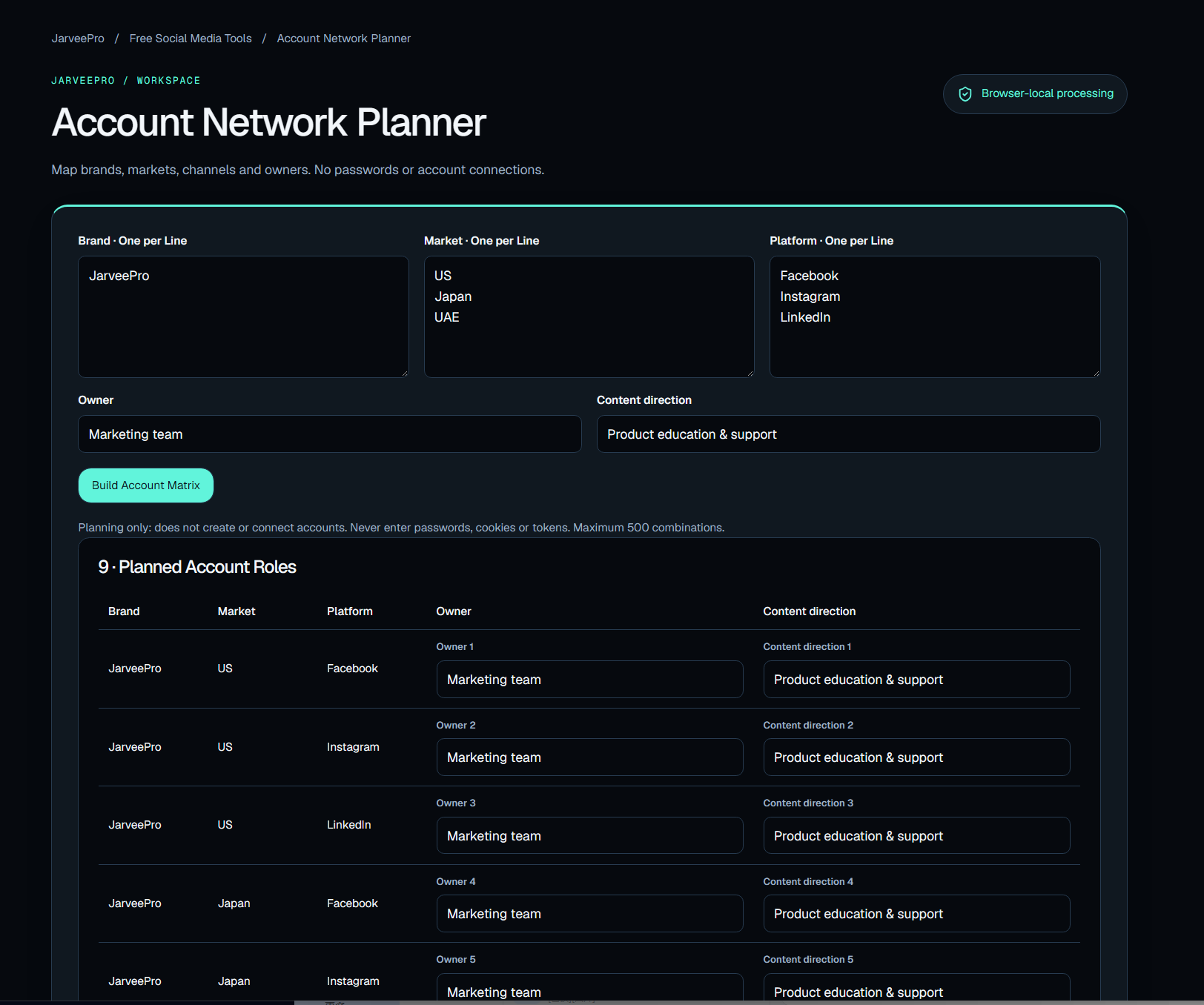
As marketing expands, account structure becomes complicated.
Brands.
Markets.
Channels.
Owners.
The Account Network Planner maps these relationships without requiring passwords or account connections.
That's useful before automation becomes complicated.
Because the first question in a large social operation is often not:
"How do we automate this?"
It is:
"What exactly are we managing?"
The Hidden Pattern Across All 15 Tools
Look at the tools together and something becomes obvious.
They are not random utilities.
They follow the shape of actual marketing work.
Content
Download it.
Resize it.
Format it.
Preview it.
Plan it.
Campaigns
Build links.
Track timing.
Organize content.
Personalize messages.
Manage dates.
Analysis
Calculate engagement.
Organize information.
Structure campaigns.
Map accounts.
The common thread is not a particular social network.
It is work.
The Small-Task Tax
This is a problem most marketing teams feel but rarely measure.
Imagine a marketer spends:
10 minutes resizing images.
15 minutes fixing formatting.
20 minutes preparing links.
15 minutes checking time zones.
30 minutes reorganizing content.
20 minutes cleaning a spreadsheet.
30 minutes preparing campaign information.
None of those tasks deserves a meeting.
But together, they consume hours.
And they repeat.
Every week.
Across every campaign.
This is the small-task tax of modern marketing.
The more channels you operate, the larger that tax becomes.
Free Tools Are a Starting Point, Not the Destination
This is where JarveePro becomes relevant.
The free tools solve individual problems.
But social media marketing eventually becomes a systems problem.
You have accounts.
Content.
Platforms.
Schedules.
Campaigns.
Monitoring.
Audience activity.
Automation.
Reporting.
AI.
The question changes from:
"How do I complete this task?"
to:
"How do I make this entire workflow work together?"
That's a much bigger problem.
And that's where a powerful platform like JarveePro enters the picture.
From Free Utilities to a Marketing System
Think about the progression.
You start with a downloader.
Then you need to resize content.
Then prepare the text.
Then preview the post.
Then create campaign links.
Then schedule across markets.
Then track engagement.
Then manage multiple accounts.
Then automate repetitive work.
The tasks don't exist independently.
They form a chain.
Content → Preparation → Campaign → Publishing → Monitoring → Learning
The free tools help with individual links in that chain.
JarveePro is built for the larger system.
Why JarveePro Gives Away These Tools
There is a marketing lesson here too.
A company doesn't always need to begin a relationship by saying:
"Buy our software."
Sometimes the better question is:
"What problem are you trying to solve right now?"
If the answer is "I need to resize an image," solve that.
If the answer is "I need to organize my campaign links," solve that.
If the answer is "I need to plan my week," solve that.
And when the user's problem eventually becomes larger than one utility, they already understand the thinking behind the platform.
That's a much more natural path from tool → workflow → platform.
The Bigger JarveePro Idea
JarveePro is not simply a collection of social media posting functions.
Its larger proposition is about turning fragmented social media work into a more connected operating system.
The free toolkit is the small end of that idea.
You can use one tool.
You can use five.
You can use all fifteen.
You don't need to connect an account just to experiment with them.
But if your marketing operation grows from a handful of posts into multiple platforms, accounts, campaigns, and workflows, the problem changes.
And so does the software you need.
Start Small. Think Bigger.
You don't need a complicated marketing operation to benefit from better tools.
Start with the task in front of you.
Download the video.
Resize the image.
Format the copy.
Preview the post.
Build the campaign link.
Plan the week.
Calculate the engagement.
Then look at the bigger picture.
Because the real productivity gain isn't always one spectacular automation.
Sometimes it is removing 15 small points of friction from the same workflow.
That's what these free tools are designed to do.
And they are offered by JarveePro, a much more powerful social media marketing platform built for the work that comes after the small tasks.
Explore the Free JarveePro Tools
The 15 free tools are available without account connections or AI credits, giving marketers a practical way to test the toolkit and solve everyday social media tasks directly in the browser.
Start with one tool.
Then connect the dots.
Free tools for today's task. JarveePro for the bigger workflow.