



Loom Video Downloader: How to Download Loom Videos to MP4
Loom Video Downloader: How to Download Loom Videos to MP4
Loom makes recording and sharing a video ridiculously easy.
You record.
You get a link.
You send it.
Done.
But eventually, someone asks a much less convenient question:
“How do I download this Loom video?”
Maybe the download option isn't available.
Maybe you want an MP4 copy on your computer.
Maybe you're archiving an old recording.
Maybe you need to edit the video somewhere else.
Maybe the Loom recording is part of a larger content workflow.
Whatever the reason, the task is simple:
You have a Loom link. You want a video file.
Try the Free Loom Video Downloader
JarveePro Nexus includes a free Social Media Downloader that supports Loom alongside major social platforms.
Paste a supported public video link and, when a downloadable file is available, the tool can identify the available media for download.
Try the Free Social Media Downloader
The tool currently supports sources including:
Loom
YouTube
Instagram
Facebook
TikTok
X / Twitter
Pinterest
LinkedIn
Threads
Reddit
Availability depends on the platform, permissions, region and network. Only content you have permission to save should be downloaded.
Download Loom Video to MP4
One of the most common reasons people look for a Loom downloader is simple:
They want the video as a normal file.
An MP4 file is easier to move between devices and applications, store locally, edit, archive or use in another workflow.
The basic process is straightforward:
Loom video link → downloader → available media file → your device
There is no reason to turn a simple download into a complicated workflow.
Why Are People Searching for Loom Downloaders?
The demand isn't particularly mysterious.
People use Loom for product demonstrations, tutorials, sales videos, customer support, internal communication and remote collaboration.
A video can remain useful long after the original message has disappeared.
That's when downloading becomes useful.
A team may want to archive an old recording.
A creator may want to edit a demonstration.
A marketer may want to turn a long recording into shorter content.
A business may want a local copy of important training material.
The original Loom link is still useful.
But sometimes you need the actual file.
Recent Reddit discussions show people actively looking for free Loom downloading options, including users trying to save their own recordings and people looking for ways to get Loom videos into MP4 format.
Loom Is Only One Part of the Problem
Here's where things get more interesting.
What happens after you download the video?
For a single recording, probably nothing complicated.
You save it.
You edit it.
You send it somewhere.
But imagine doing this with hundreds of pieces of content.
Now the problem changes.
You aren't just downloading videos.
You're managing content.
From One Loom Video to a Content Workflow
Consider a product demonstration recorded in Loom.
The original recording could become:
a full video archive
a shorter social clip
an educational post
an Instagram Reel
a TikTok video
a YouTube video
an X post
a LinkedIn post
a Reddit discussion
a supporting asset for a campaign
The download is only the first step.
And that is the bigger idea behind JarveePro Nexus.
A useful tool solves a task. A connected system manages the work around that task.
One Downloader. More Than Loom.
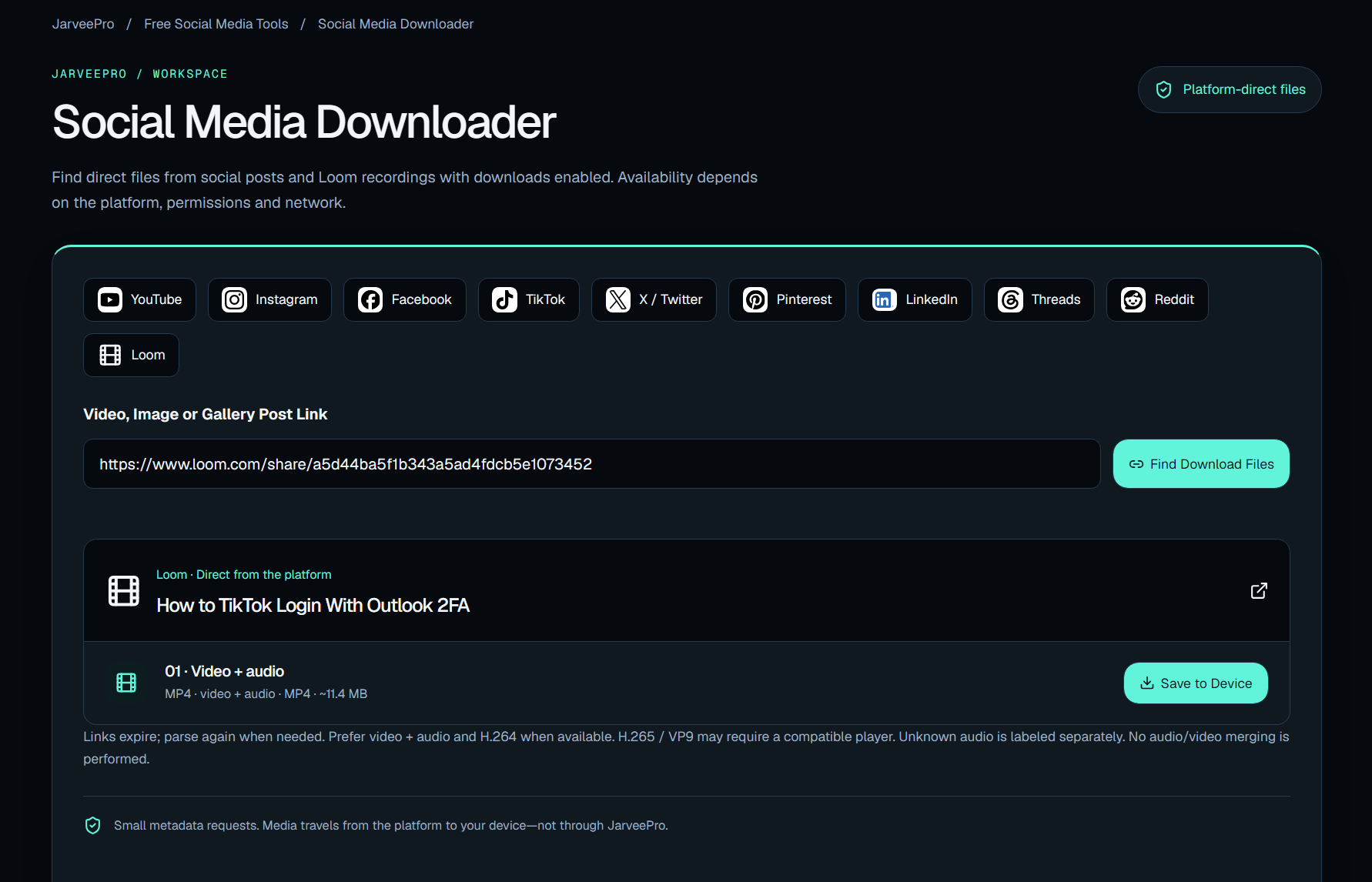
The same Nexus downloader works across multiple platforms.
That matters because social media content rarely stays where it started.
A video may begin on YouTube.
A clip may appear on TikTok.
A Reel may be reposted to Instagram.
A discussion may appear on Reddit.
A company may share the same idea on LinkedIn.
A Loom recording may become the source material for the next campaign.
The internet is full of content moving between platforms.
Your workflow should be able to keep up.
Start With One Download
You don't need a complicated system to download one video.
That's why JarveePro Nexus makes the downloader available as a free tool.
Start with the immediate problem.
Paste the link.
See what is available.
Download the file when the source and permissions allow it.
But if you eventually find yourself managing hundreds of accounts, thousands of pieces of content and multiple publishing channels, you're dealing with a different problem.
That's where JarveePro comes in.
From Downloading Content to Managing Content
JarveePro is built for the larger workflow around social media operations.
Accounts.
Content.
Publishing.
Scheduling.
Campaigns.
Automation.
Monitoring.
Multiple platforms.
The downloader is useful when you need a file.
JarveePro becomes relevant when you need to do something with that file at scale.
That distinction is important.
You don't need a social media automation platform to download one Loom video.
But you may eventually need more than a downloader when one piece of content becomes ten posts, ten accounts and ten different publishing workflows.
Try the Free Tool
If you came here looking for a Loom video downloader, start there.
Try the Free Social Media Downloader
It also supports downloads from YouTube, Instagram, Facebook, TikTok, X, Pinterest, LinkedIn, Threads and Reddit when the source and permissions allow it.
And if downloading the file is only the beginning of what you need to accomplish, take a look at what JarveePro can do with the workflow that comes next.
**One video is a file.
A campaign is a system.**