



Advanced Instagram Unfollow Automation: Why Businesses Need More Than an Unfollow Button
From selective unfollow lists to time-based campaign cleanup, discover what businesses really need from smarter Instagram account management.
Introduction: The Customer Who Asked for More Than Unfollow Automation
A cooking content creator approached JarveePro with what initially sounded like a straightforward Instagram automation request.
They wanted to discover relevant audiences from selected cooking accounts, follow eligible users, and eventually unfollow those accounts after a defined period.
But there was one condition that changed the entire conversation:
The automation must never interfere with people the creator already followed or chose to follow manually.
The creator also wanted to know exactly when each action occurred and whether the unfollow process could be scheduled after 168 hours—seven days.
This wasn't simply a request for an Instagram Unfollow feature.
It was a request for control, traceability, and predictable campaign execution.
And those requirements are relevant to far more businesses than one cooking account.
1. The Hidden Problem: Not All Instagram Followings Are Equal
Imagine a small business operating one Instagram account.
Over time, that account might follow:
Existing customers and loyal supporters
Business partners and collaborators
Industry experts and competitors
Accounts followed personally by the owner
Profiles discovered through a particular marketing campaign
All these relationships appear together in the Instagram Following list.
But they don't have the same business meaning.
A restaurant might want to preserve relationships with local food creators.
A marketing agency might need to maintain connections with clients.
A fashion brand might follow suppliers, designers, and retail partners.
An automated campaign might create additional follows for a specific audience research experiment.
The business challenge is knowing which relationships belong to which purpose.
A generic unfollow action doesn't solve that problem.
In fact, without careful target selection, it can create a bigger one.
2. Three Real Business Needs Behind Advanced Instagram Unfollow
Use Case One: Unfollow Only a Specific List of Accounts
Consider a company that has identified a list of Instagram profiles it no longer wishes to follow.
Perhaps the accounts belong to an outdated marketing campaign, an inactive research project, or a discontinued partnership initiative.
The company doesn't want to unfollow everyone.
It wants to process a specific, reviewed list.
For this use case, the essential capability is targeted unfollowing.
The business needs to identify the exact profiles, review the list, and execute the appropriate action without unnecessarily affecting unrelated relationships.
This is particularly useful for agencies managing accounts where certain client, partner, or creator relationships must be preserved.
Use Case Two: Unfollow Only Accounts Followed by a Previous Campaign
Now consider a cooking creator testing a new audience discovery strategy.
The creator already follows hundreds of accounts.
During a separate campaign, additional profiles are followed.
Later, the creator wants to review or reverse only the relationships created by that campaign.
The difficulty is distinguishing campaign-generated follows from existing relationships.
This is where JarveePro Nexus offers a particularly useful capability.
Import from Tasks allows customers to select a previous task and import its successful result URLs into an Instagram Unfollow task.
Instead of manually rebuilding the target list, the customer can work from the recorded results of a selected campaign.
For example:
| Account relationship | Intended treatment |
|---|---|
| Existing customer | Preserve |
| Business partner | Preserve |
| Manually followed creator | Preserve |
| Successful follow from Campaign A | Eligible for Campaign A cleanup |
| Successful follow from Campaign B | Keep separate from Campaign A |
This gives businesses a more controlled way to manage campaign-specific account relationships.
There is an important operational detail: the imported list should still be reviewed, especially if a profile has subsequently become an important relationship or was also followed manually.
Use Case Three: Unfollow Accounts at a Specific Time
Not every business wants to execute an unfollow task immediately.
Some need to schedule it for a future date.
Others may want to run a campaign after a defined waiting period.
For example, a marketing team might decide to review a temporary audience research campaign after seven days.
Rather than remembering to perform the cleanup manually, it can prepare an Instagram Unfollow campaign and schedule its execution.
JarveePro Nexus Pro provides Campaign Scheduling, including a Start At date and time, configurable intervals, run counts, and repeat options.
This helps businesses organize scheduled campaign execution.
However, there is a distinction between scheduling an entire campaign and scheduling an individual action.
A campaign scheduled seven days later does not necessarily mean every account will be unfollowed exactly 168 hours after its individual follow timestamp.
That more precise requirement involves per-profile action tracking and scheduling.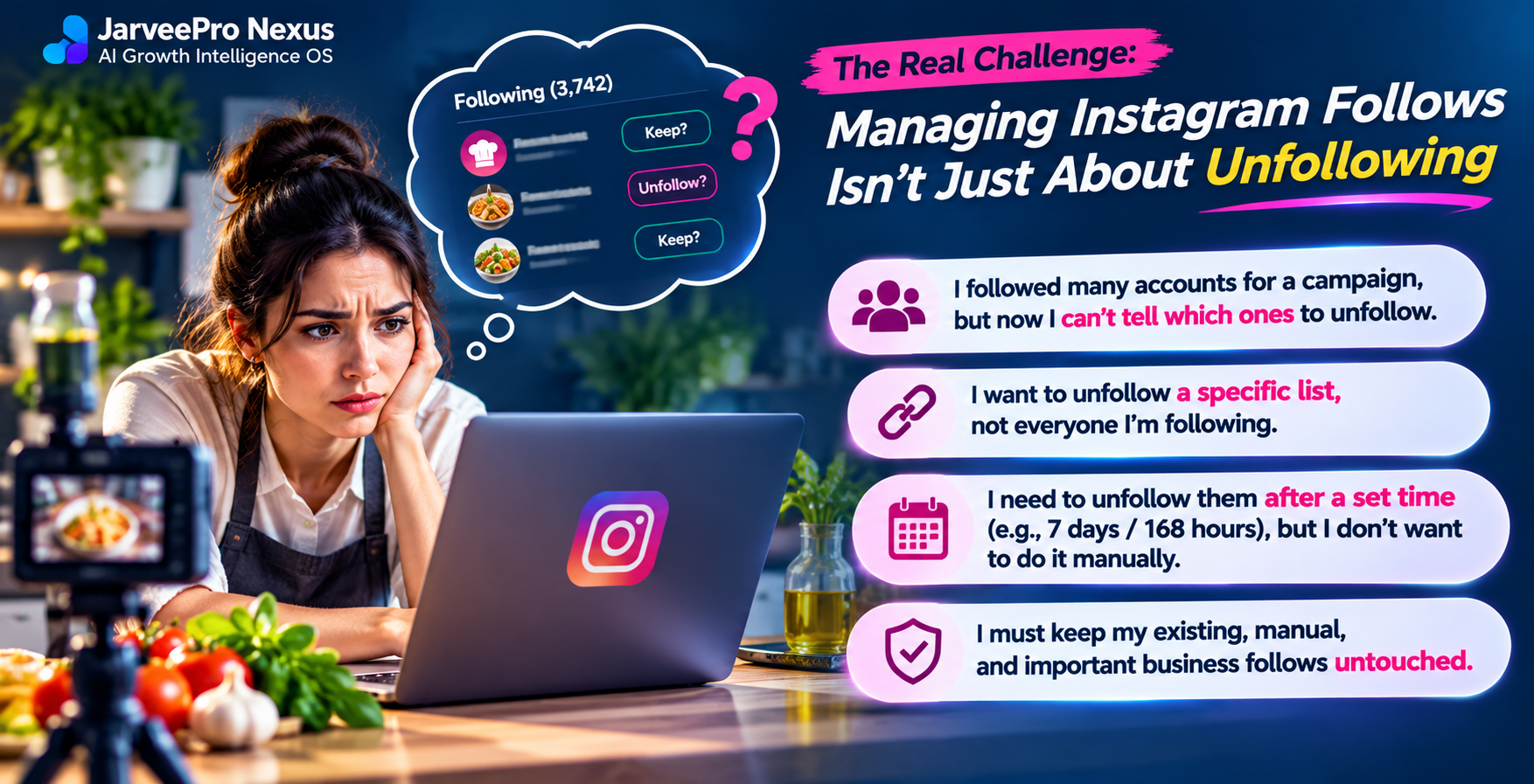
3. How JarveePro Nexus Supports Targeted Instagram Unfollow Workflows
JarveePro Nexus brings several relevant capabilities into one workflow.
Import Successful Results From Previous Tasks
Inside the Instagram Unfollow task configuration, customers can select Import from Tasks.
The import window allows users to find relevant tasks, select the desired source, and import successful result URLs accepted by the destination task.
This is useful because a campaign may contain attempted actions that never succeeded.
Working from successful results provides a more relevant starting point than simply reusing every originally submitted target.
Manage Unfollow Targets Through Profile Links
The Instagram Unfollow task includes a Profile Link field where customers can manage target URLs.
The interface supports adding, importing, validating, reviewing, and removing entries.
This gives customers an opportunity to inspect their selected targets before running the campaign.
Schedule Campaign Execution
The Campaign Scheduling interface provides options including:
| Setting | Purpose |
|---|---|
| Start At | Define when the scheduled campaign should start |
| Run Count | Specify the number of scheduled executions |
| Fixed Interval | Configure the interval between applicable runs |
| By Weekday | Configure weekday-based scheduling |
| Loop | Enable repeated execution where appropriate |
These settings are useful for organizing campaign execution without manually starting every task.
Review Operation Logs
JarveePro Nexus Pro also includes an Operation Logs section.
Customers can filter records by account, task, date range, log level, and module.
Recorded events display timestamps and related task information.
This helps customers investigate campaign creation, updates, and execution activity.
For customers requiring a complete audit trail of every individual Instagram follow and unfollow, the available per-profile record details should be verified separately.
4. What an Advanced Instagram Unfollow Workflow Could Look Like
Let's return to the cooking creator.
The business wants to test an audience discovery campaign while protecting existing relationships.
A controlled implementation could follow this approach.
First: Define the campaign boundary.
Identify the Instagram account, target audience, and specific campaign being evaluated.
Document which existing relationships must remain untouched.
Second: Keep campaign results separate.
Use a clearly identified follow task so that its successful results can later be selected independently.
Third: Review the results.
Check which actions succeeded and whether any target accounts should be excluded from cleanup.
Fourth: Prepare the unfollow task.
Use Import from Tasks to bring successful result URLs into the Instagram Unfollow task.
Review the imported list before execution.
Fifth: Schedule the campaign.
Choose the appropriate future execution time using Campaign Scheduling.
If exact per-profile timing is essential, a single batch-level schedule should not be treated as sufficient without additional verification.
Sixth: Review the logs and outcomes.
Inspect the available operation records and confirm the actual task results.
The objective is not to maximize the number of follows and unfollows.
It's to maintain clear control over the actions performed on the account.
5. The Difference Between Basic Automation and Advanced Automation
Basic automation asks:
“Can the software perform this action?”
Advanced automation asks:
“Can the software perform the correct action, on the correct target, at the correct time, without affecting anything else?”
That difference matters.
| Basic automation | Advanced business requirement |
|---|---|
| Unfollow accounts | Unfollow only approved target profiles |
| Execute a task | Execute the correct campaign at a scheduled time |
| Reuse a target list | Import successful results from a specific source task |
| Show task status | Provide timestamped records for operational review |
| Process available targets | Preserve unrelated customer, partner, and manual relationships |
| Run a campaign after seven days | Distinguish batch scheduling from exact per-profile timing |
For businesses, precision is often more valuable than volume.
A software feature becomes much more useful when users can define its boundaries.
6. Why Time-Based Unfollow Requirements Deserve Special Attention
A customer may request:
“Unfollow each account exactly 168 hours after it was followed.”
That sounds like a simple scheduling rule.
But consider two accounts followed on the same day.
One follow succeeds at 9:00 AM.
Another succeeds at 4:00 PM.
If the system starts one unfollow campaign seven days later at noon, the first relationship has existed for 171 hours, while the second has existed for only 164 hours.
Neither action occurred exactly 168 hours after its original follow.
This illustrates the difference between two scheduling models.
Campaign-level scheduling: Execute a collection of actions at a specified date or interval.
Per-action scheduling: Calculate an individual due time from each confirmed action timestamp.
JarveePro Nexus Pro supports campaign-level scheduling.
A strict per-action deadline requires additional verified functionality, such as associating each successful follow with its timestamp and corresponding unfollow task.
Businesses should define which scheduling model they actually need before configuring their campaigns.
7. A Better Product Experience Starts With Customer Questions
The cooking creator's request also highlights opportunities for improving automation software design.
Rather than exposing only technical settings, a more intuitive interface could help users answer questions such as:
Who should be unfollowed?
All selected profiles, imported campaign results, or a manually reviewed list?
Which relationships should be protected?
Existing follows, manually followed accounts, business partners, or specifically excluded profiles?
When should the action happen?
Immediately, at a scheduled campaign time, or after an individual waiting period?
How will the result be verified?
Through task status, operation logs, or a dedicated per-profile action history?
These questions reflect the customer's actual objectives.
A future enhancement could bring them together in a dedicated Advanced Unfollow Manager, including protected-account lists, campaign-source filters, individual action timestamps, and due-time scheduling.
Such functionality would need to be developed and verified; it should not be confused with features already confirmed in the current release.
This is an example of how real customer requirements can guide product development.
8. Instagram Platform Rules Still Matter
Technical capability is only one part of responsible Instagram account management.
Meta's official Instagram APIs do not provide general-purpose access to arbitrary accounts' follower lists or unrestricted automated follow and unfollow operations.
Browser-based automation is not equivalent to official API authorization.
Instagram may restrict automated activity, and there is no universal guaranteed-safe daily follow or unfollow limit.
Businesses should avoid aggressive follow/unfollow cycles, respect platform restrictions, and prioritize genuine audience relationships.
For creators and brands, meaningful engagement, useful content, and relevant community participation remain more sustainable foundations for growth than repeatedly creating and removing connections.
9. The Bigger Lesson: Customers Don't Ask for Features. They Ask for Control.
The original customer asked about following cooking audiences and unfollowing after seven days.
But the underlying requirements were much broader.
They wanted to know:
Can I identify exactly which accounts a campaign affected?
Can I protect relationships that existed before the campaign?
Can I select a particular list rather than unfollow indiscriminately?
Can I decide when the cleanup should happen?
Can I verify what the software actually did?
These are questions about accountability, reliability, and control.
And they apply to almost every form of business automation.
A company scheduling social media content needs to know which accounts will publish.
A sales team automating follow-ups needs to know which customers should receive them.
An agency managing client workflows needs to know which actions belong to which client.
The more powerful automation becomes, the more important its boundaries become.
Conclusion: Smarter Instagram Automation Means Knowing What Not to Touch
Advanced Instagram unfollow management is not simply about removing accounts from a Following list.
It's about distinguishing different relationships, selecting the right targets, scheduling actions appropriately, and reviewing the results.
JarveePro Nexus Pro supports several important parts of this workflow, including targeted profile lists, importing successful task results, campaign scheduling, and operation logs.
For businesses with more precise requirements, such as individual 168-hour deadlines or automatic protection of every manually followed account, those capabilities must be evaluated separately.
The most useful automation isn't necessarily the one that performs the most actions.
It's the one that gives businesses confidence that the right actions are being performed—and the important relationships are being preserved.
Explore JarveePro Nexus
Looking for more control over Instagram task management, campaign scheduling, and automation workflows?
Explore JarveePro Nexus and discover how its supported Instagram management capabilities can help organize your social media operations.