



Managing 10, 50, or 100+ Social Accounts: What Really Matters
Managing one social media account is easy enough. Managing 10 is a different story. At 50, organization becomes critical. At 100 or more, simply keeping track of what is happening across all those accounts can become a full-time job.
That is why successful multi-account social media management is not really about finding the most aggressive automation settings. It is about building a system that is stable, organized, consistent, and easy to monitor.
Whether you are managing accounts for clients, running multiple brands, building niche communities, or operating a larger social media marketing operation, the same principles apply.
1. Organization Comes Before Automation
The first challenge with multiple accounts is surprisingly simple: knowing what belongs to what.
When you have dozens of accounts, you need to know:
Which account belongs to which brand or project
Which platform each account is connected to
Which accounts are active
Which accounts need attention
What content each account should publish
Which accounts are currently paused
Which accounts are experiencing problems
Without good organization, automation can actually make things more confusing.
A useful multi-account system should make it easy to answer questions such as:
"Which accounts are currently running?"
"Which accounts haven't posted recently?"
"Which account is having a connection problem?"
"Which accounts need new content?"
The more accounts you manage, the more valuable centralized management becomes.
2. Don't Treat Every Account Exactly the Same
One of the biggest mistakes in multi-account management is assuming that every account should have identical settings.
Different accounts can have different purposes, audiences, content strategies, and activity levels.
For example, a local business account may have completely different content requirements from a niche community account or an account used for promoting a SaaS product.
Your automation system should therefore support different strategies for different groups of accounts.
Instead of thinking:
100 accounts = one campaign
think:
100 accounts = several organized account groups with different strategies.
This makes the system easier to control and gives you more flexibility.
3. Stable Account Environments Matter
When managing multiple accounts, stability becomes increasingly important.
Every account operates within an environment that can include its browser setup, network connection, proxy, login information, and other configuration.
The goal should not be to constantly change these settings.
Instead, establish a sensible configuration and keep it consistent unless there is a genuine reason to make a change.
This is particularly important when troubleshooting.
If an account suddenly stops working and you simultaneously change its proxy, browser environment, account settings, and automation settings, you may have no idea which change solved—or caused—the problem.
Change one thing at a time whenever possible.
It sounds boring. Boring is good when you're managing 100 accounts.
4. Your Proxy Strategy Matters More at Scale
Proxies are easy to overlook when managing a small number of accounts.
At larger scale, however, network connectivity becomes an operational issue.
A proxy can be verified and still experience a problem connecting to a particular website. For example, a browser may show a tunnel or connection error even though the proxy appears available in the software.
When this happens, don't immediately assume the account itself is broken.
Test the connection.
A simple way to troubleshoot is to open another website through the same proxy and see whether the connection works normally.
This helps separate:
"The account has a problem"
from:
"The browser cannot reach the internet correctly through this connection."
That distinction can save a lot of unnecessary troubleshooting.
5. Keep Browser Environments Consistent
When managing many accounts, browser environments deserve the same attention as network connections.
The objective isn't to constantly modify fingerprint settings or make endless technical adjustments.
The more practical approach is to establish a consistent environment for each account and avoid unnecessary changes.
Think of it like having a workspace for each account.
Once everything is working, you generally don't want to rearrange the entire desk every morning.
Consistency also makes problems easier to diagnose. If something changes, you have a known baseline to compare against.
6. Content Management Becomes the Real Bottleneck
Here's where things get interesting.
When you move from 10 accounts to 50 or 100 accounts, the biggest challenge may no longer be logging in or scheduling posts.
It can be content.
One account might need three posts a week.
Multiply that across dozens or hundreds of accounts and suddenly you have a serious content-management problem.
You need a system for:
Content creation
Content variations
Scheduling
Reusing evergreen content
Organizing content by account or campaign
Avoiding unnecessary repetition
Reviewing what has already been published
This is one reason automation works best when combined with a proper content strategy.
Automation can help distribute content.
It cannot decide what your audience actually wants to hear unless you give it the right strategy and inputs.
7. Don't Automate Everything Just Because You Can
This is probably the most important point.
Having an automation tool does not mean every possible action should be automated.
The better question is: Which repetitive tasks are consuming time without adding strategic value?
Scheduling routine content is a good example.
Monitoring accounts is another.
Organizing campaigns and managing repetitive workflows can also benefit from automation.
But strategy, positioning, creative direction, brand voice, and understanding your audience still require human judgment.
The strongest setup is usually not human versus automation.
It is:
Human strategy + automation for repetitive execution.
8. Monitoring Becomes More Important as You Scale
With five accounts, you might notice when something goes wrong.
With 100 accounts, you probably won't.
That's why monitoring becomes increasingly important as your account count grows.
You need visibility into things such as:
Accounts that are active
Accounts that are paused
Failed actions
Connection problems
Content scheduling
Accounts requiring attention
A good automation system should reduce the amount of manual checking you need to do while still giving you enough visibility to identify problems quickly.
The goal isn't to watch 100 accounts all day.
The goal is to know which account needs your attention.
9. Build Groups Instead of Managing 100 Accounts Individually
Once you reach dozens of accounts, individual management becomes inefficient.
Account grouping can make a huge difference.
You might organize accounts by:
Brand
Platform
Client
Geographic market
Niche
Campaign
Content type
Then you can manage each group according to its own strategy.
For example:
Group A: SaaS marketing accounts
Group B: E-commerce accounts
Group C: Local business accounts
Group D: Community-focused accounts
Each group can have its own content strategy and workflow.
This is much easier to manage than trying to remember the purpose and settings of every individual account.
10. Scaling Doesn't Mean Turning Everything Up
A common assumption is: "If 10 accounts work with these settings, 100 accounts should simply use the same settings at a larger scale."
Not necessarily.
Scaling changes the operational complexity of your setup.
More accounts mean:
More content
More connections
More potential errors
More accounts requiring monitoring
More configuration to maintain
More opportunities for small problems to become big ones
The answer isn't necessarily to increase activity.
The answer is to improve organization, monitoring, infrastructure, and workflow.
Good infrastructure beats aggressive settings surprisingly often.
11. Have a Troubleshooting Process
When something goes wrong, don't panic and start changing everything.
Create a simple troubleshooting sequence.
For example:
Step 1: Is the account accessible?
Check whether the platform can be opened normally.
Step 2: Is the network connection working?
Test the relevant proxy or connection with another website.
Step 3: Is the browser environment working?
Check whether the browser loads correctly and whether the account's environment has changed.
Step 4: Is the problem account-specific?
Compare the affected account with another account that is working normally.
Step 5: Change one variable
If a change is necessary, make one change and test again.
This process is much more manageable when you have 10 accounts—and absolutely essential when you have 100.
12. Choose Automation for the Workflow, Not the Hype
There are plenty of social media automation tools promising that you can put hundreds of accounts on autopilot.
The more important question is:
What exactly are you trying to automate?
If your main problem is scheduling content, look for strong scheduling and content-management capabilities.
If your problem is monitoring dozens of accounts, prioritize visibility and account management.
If you're spending hours repeating the same actions, identify those repetitive workflows and automate them.
Start with the problem.
Then choose the automation.
Not the other way around.
Where JarveePro Fits In
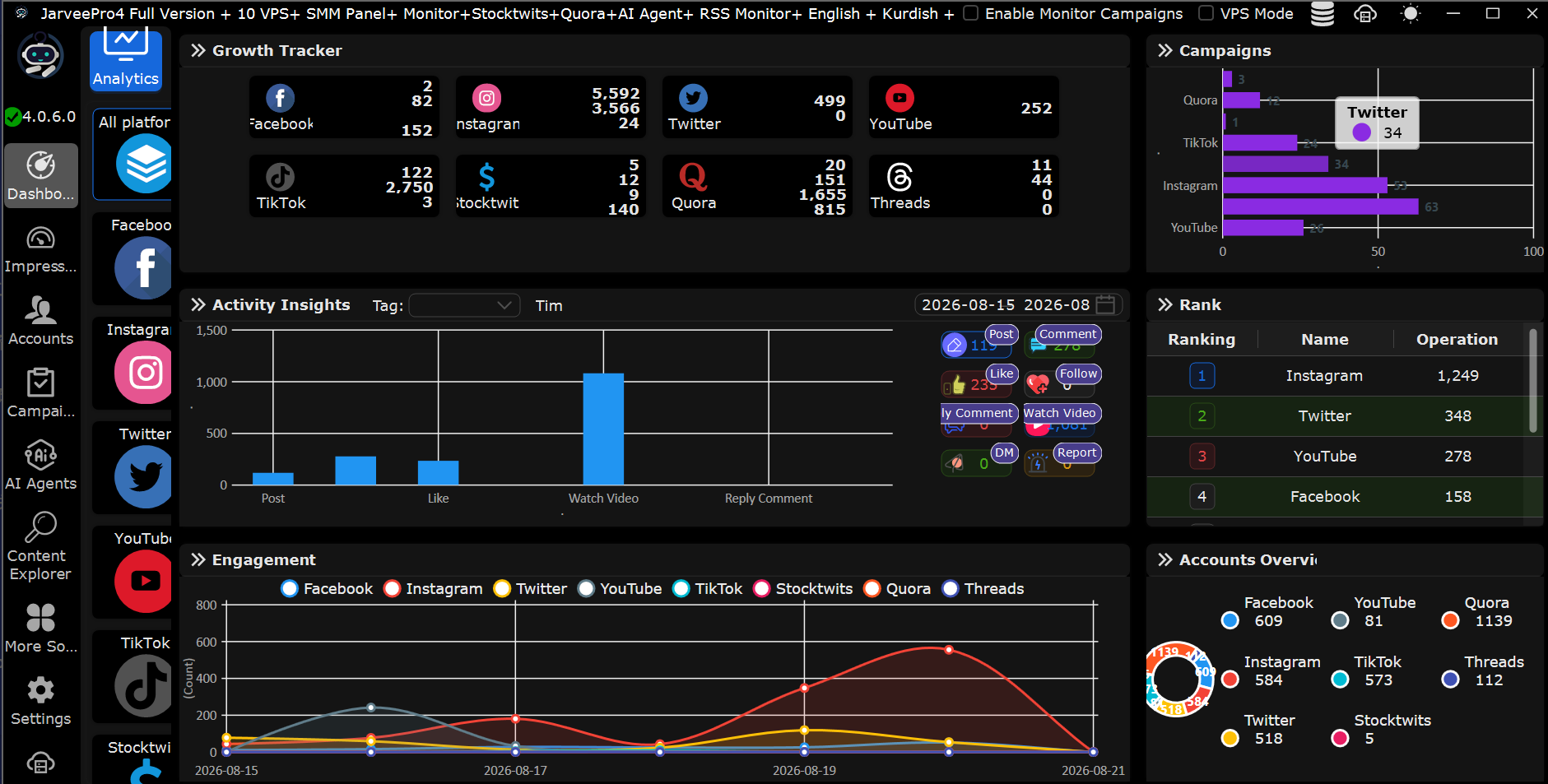
This is where a platform such as JarveePro can become useful.
The value of multi-account automation isn't simply being able to operate a large number of accounts. It is having a centralized environment where you can organize accounts, manage repetitive workflows, schedule activities, monitor account status, and reduce the amount of manual work involved.
For larger setups, the combination of account organization, automation, monitoring, content management, and stable account environments becomes much more important than any single automation feature.
And that's really the lesson of scaling social media:
10 accounts require organization.
50 accounts require systems.
100+ accounts require infrastructure.
The number itself isn't the hardest part.
The challenge is building a workflow that remains manageable as that number grows.
Conclusion
Managing multiple social media accounts successfully isn't about pressing more automation buttons.
It's about building a system where every account has a clear purpose, a stable environment, appropriate content, and a workflow that can be monitored without constant manual intervention.
If you're managing 10 accounts today, think about how your system would work with 50.
If you're already managing 50, ask what would happen at 100.
That mindset helps you build systems that scale instead of constantly rebuilding your process every time your account count increases.
The best multi-account strategy is rarely the most aggressive one.
It's the one you can understand, monitor, troubleshoot, and maintain.