



Twitter Auto Like
JarveePro’s Twitter Auto Like feature allows marketers to automate engagement by liking tweets from specific users, keywords, or AI-generated searches. You can add tweet links individually, import them from a local file, or use AI-generated links from previous search tasks. Best of all, this feature is completely free, making it easy for anyone to boost Twitter engagement without additional cost.
Step-by-Step Instructions
1. Navigate to Your Campaign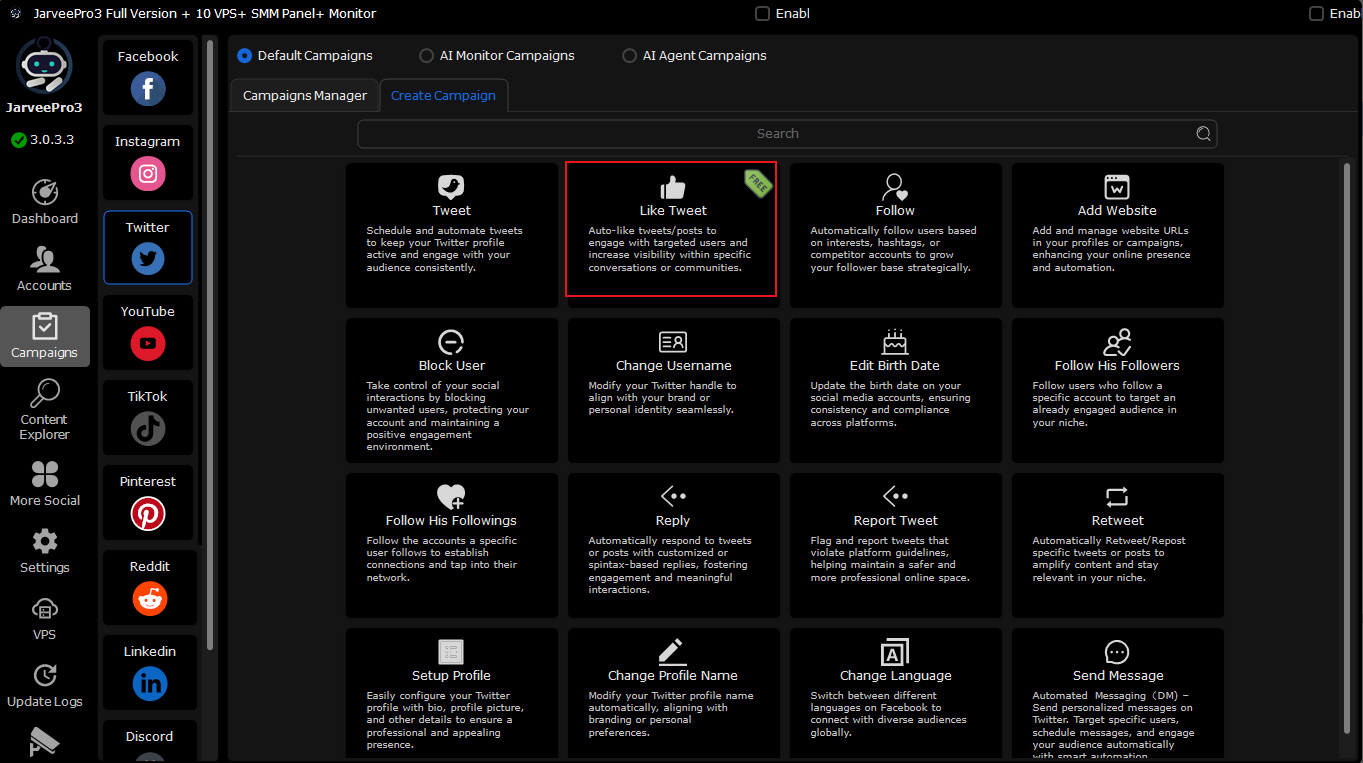
Go to Campaigns →Twitter→ Create Campaign → Like Tweet. You are now in the correct campaign type for auto-liking tweets.
2. Add Tweet URLs
You have multiple options to add tweet links:
a) Manually Add Tweet URLs
In the “Tweet URLs” tab
a) Click Add, paste each tweet link one by one.
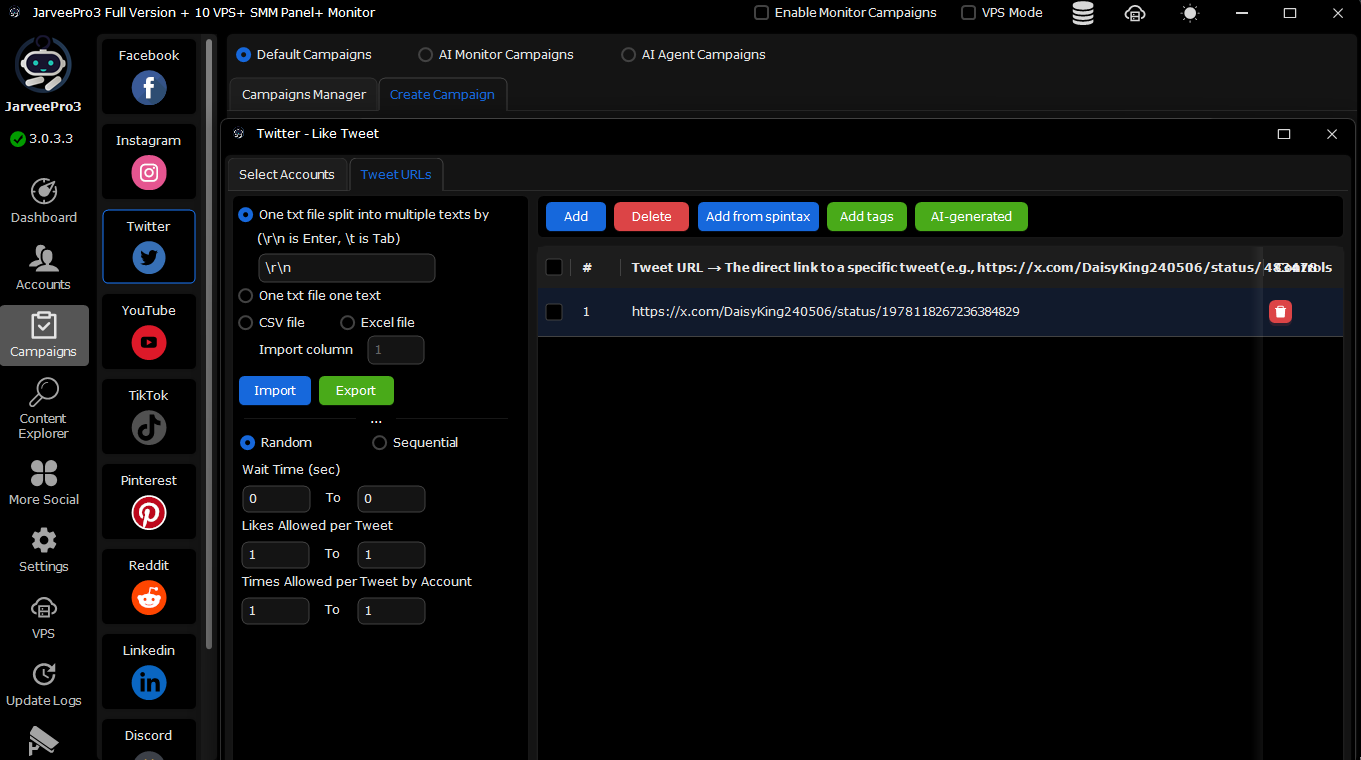
b) Import from Local File
Click Import and select a file containing tweet URLs.
JarveePro will automatically load all links from Content Explorer into your campaign.
c) Use AI-Generated Links
Click AI-generated to open the AI Content Generation popup.
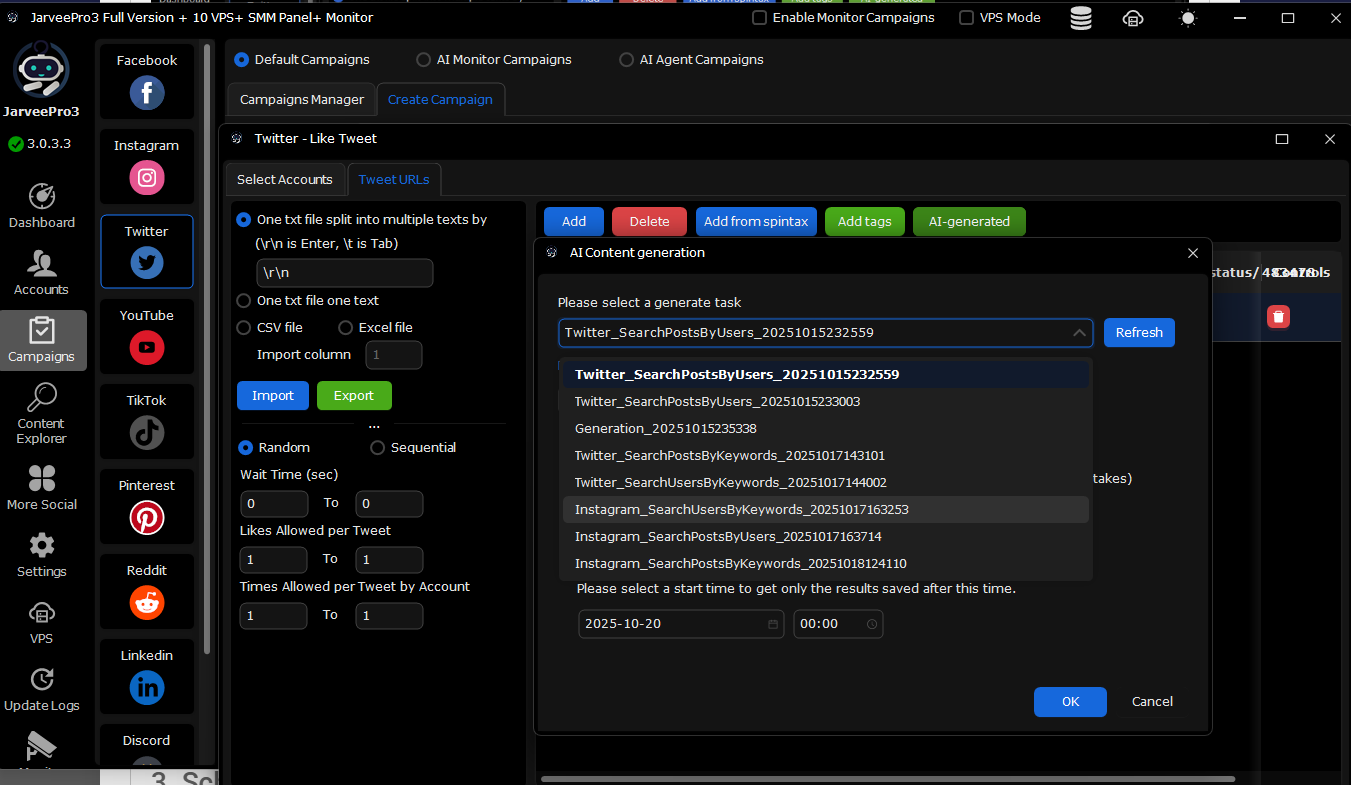
Under “Please select a generate task”, choose the search task you previously created (e.g.,
Twitter_SearchPostsByUsers_20251015232559).Optionally, adjust the Start Time to collect links after a certain date/time.
Click OK to pull the links into your campaign automatically.
3. Schedule Likes
After adding the links, schedule your likes or other automated actions. JarveePro will handle engagement according to your campaign settings.
Use Case Example
Scenario: You want to increase engagement with tweets from selected influencers and target keywords.
Create a Search Task in JarveePro Advanced Content Explorer to search relevant tweets.
Use the AI Content Generation popup to select this task.
Alternatively, import tweet URLs from a file collected manually.
Schedule likes to occur throughout the day.
Expected Results
Automated liking of relevant tweets from target users or keywords.
Increased Twitter visibility and engagement.
Efficient management of AI-generated, imported, or manually added tweet URLs.
No cost involved—fully free feature for all JarveePro users.